HubSpot vs Zoho CRM in 2027, and what the licence price leaves out
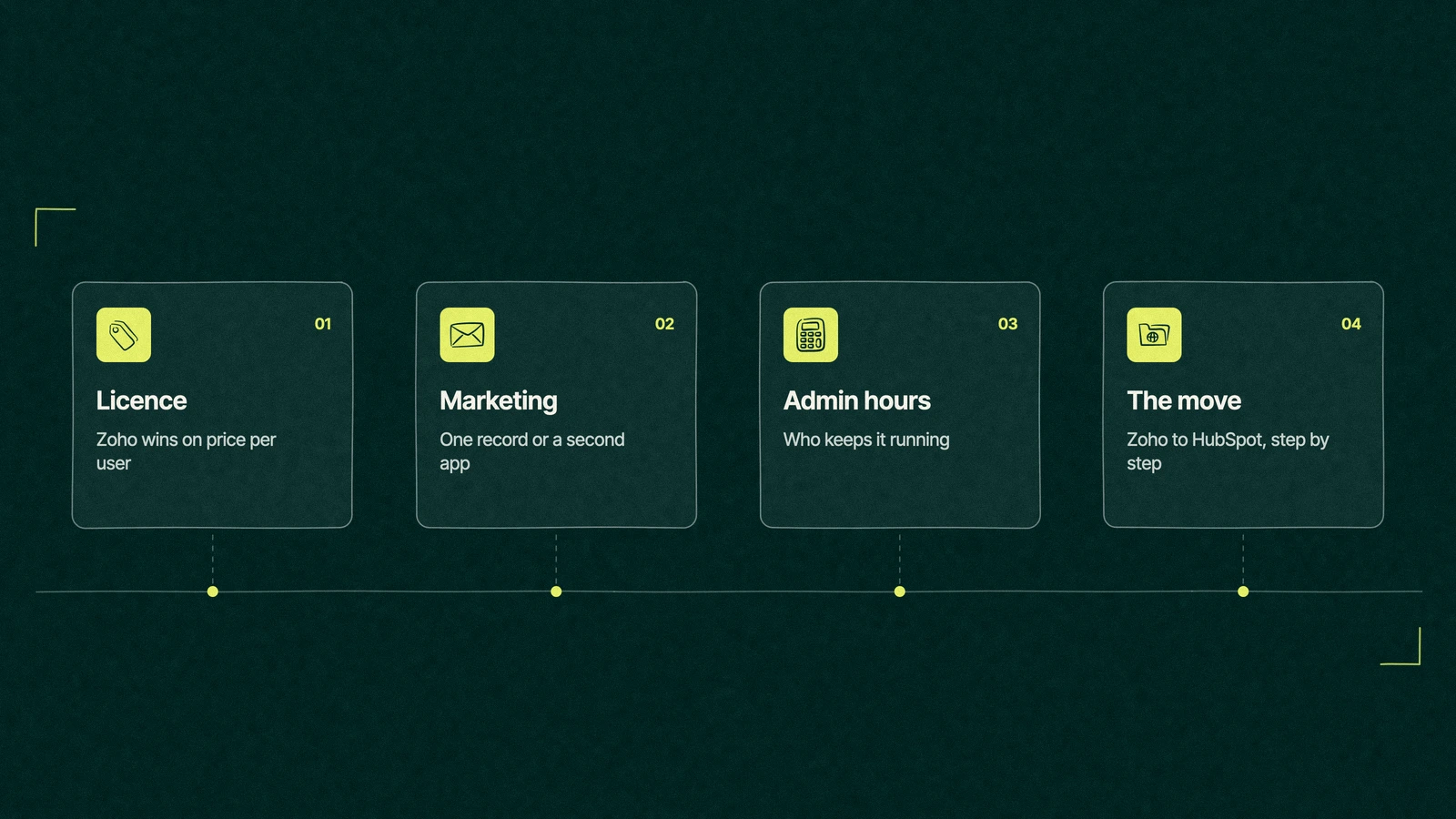
Zoho wins the licence comparison almost every time, so this guide also counts the admin hours, the add-on apps and the move between the two CRMs.
HubSpot
The Leapyn team
November 17, 2026
11 min read
In this post
toc
Halfway down a racking row at a community solar site, the finance director of a regional solar installer sits on an upturned cable drum with a clipboard on her knee. Installers are torquing panel clamps a few rows over, and the hum from the inverter station makes it a surprisingly good place to think about software.
The clipboard holds both halves of a HubSpot vs Zoho decision. One page is the Zoho CRM renewal, a tidy per-user figure for the sales team, and the other is a HubSpot quote several times larger, on which the sales manager has circled the total and drawn a small sun.
On price alone, the choice takes her about four seconds. What neither page shows is who keeps each system running, and at her company that person is the operations coordinator, who also books every crane.
Is Zoho CRM better than HubSpot?
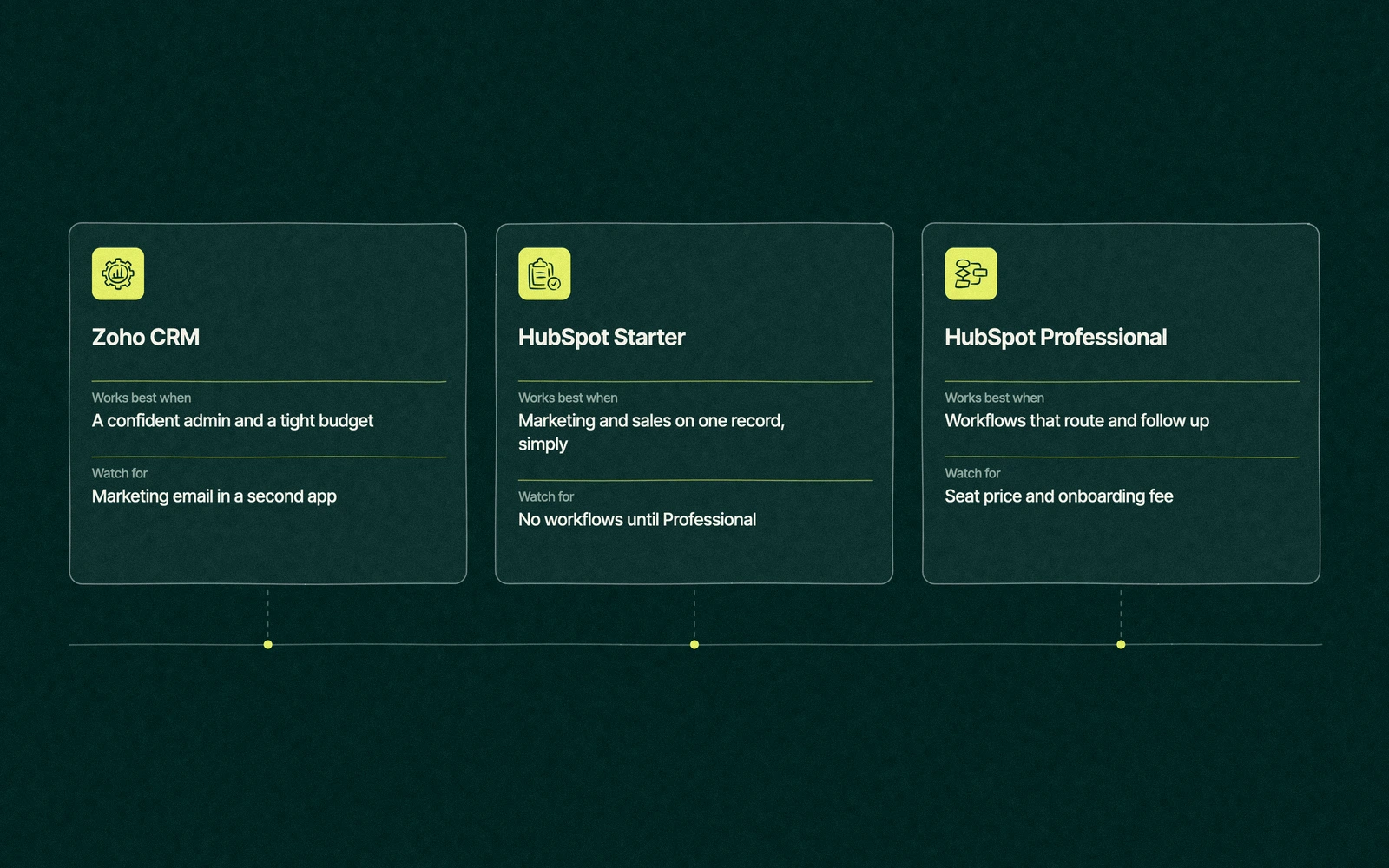
Zoho CRM is the better buy for teams after the lowest price per user that also have someone who enjoys configuring software. HubSpot is the better buy for teams that want marketing and sales working from the same contact with less admin. Zoho wins the licence comparison almost every time, so compare the hours each one needs too.
Our roundup of CRMs teams weigh against HubSpot gives Zoho one row among several. This page stays on the one comparison, and since we're a HubSpot partner, we've stuck to each vendor's published prices and said where Zoho wins.
Licence cost against admin hours
Start with the number everybody compares. Zoho CRM's pricing page lists Professional at US$23 per user per month when paid annually, and HubSpot's Sales Hub pricing lists Professional at $100 per seat, plus $1,500 of required onboarding.
For a ten-person sales team over twelve months, that's US$2,760 for Zoho billed annually against $13,500 for HubSpot in the first year, before tax and discounts. Zoho's monthly billing raises its side to US$4,200, which still leaves a gap you could park a pickup in.
The gap closes a long way if the team doesn't need HubSpot's full workflows. Ten seats of Sales Hub Starter at list price total $2,400 a year, which is less than Zoho Professional, although Starter caps the workflows that HubSpot opens up at Professional.
Add marketing and the gap moves again. Zoho Marketing Automation starts at US$14 a month billed annually for 1,000 contacts, while HubSpot's Marketing Hub pricing puts Professional at $890 monthly for three seats, plus $3,000 to onboard. Marketing Hub Starter at $20 a seat is the cheaper HubSpot route for a team whose email is a monthly newsletter.
Neither figure includes the person who runs the system, and that's where the comparison usually turns. Zoho gives you more settings to shape the CRM around your process, and HubSpot gives you fewer settings and more guardrails, which reviewers like Zapier describe as Zoho being more customizable and HubSpot friendlier to use.
More settings mean more decisions somebody has to own. Before you choose, count the hours your own team spends on CRM upkeep for one quarter, in four buckets.
Fixes. Broken automations, fields that stopped syncing and reports that disagree with finance.
Changes. New pipeline stages, new fields and new rules every time sales changes how it sells.
Glue. Moving data between the CRM and the marketing email tool, the quoting tool and accounting.
Help. Answering reps who can't find a record, a report or the button they used last week.
Multiply those hours by what that person costs, and add it to each licence. Cheap software with an expensive hobbyist attached is a common way to overspend without noticing.
None of this makes Zoho the harder product. A company with a careful admin and a settled process can run it for years with very little upkeep, and plenty do. The hours grow when the process keeps changing and the settings have no owner, which happens on HubSpot too, only more slowly.
HubSpot vs Zoho CRM, feature by feature
The table sets Zoho CRM against HubSpot on what each vendor's pricing page showed on November 16, 2026. The admin effort row is our view from running CRMs for B2B teams, not a vendor claim.
Zoho CRM
HubSpot
Free edition
Free for 3 users, with workflow automation and standard reports
No charge for 1 or 2 users, with contacts, deals and a pipeline
Entry price
Standard, US$14 per user monthly on annual billing (US$20 billed monthly)
Sales Hub Starter, $20 per seat monthly at list price
Middle tier
Professional, US$23 per user (US$35 monthly), unlimited reports, process management, AI agents
Sales Hub Professional, $100 per seat at list, $1,500 onboarding, sequences and full workflows
Upper tier
Enterprise, US$40 per user (US$50 monthly), sandbox, approval process, custom functions
Sales Hub Enterprise, from $150 per seat, $3,500 onboarding
Marketing email
Mass email in the CRM from Standard. Full campaigns in Zoho Marketing Automation, a separate app from US$14 a month billed annually for 1,000 contacts
Marketing Hub on the same records, Starter at $20 a seat, Professional at $890 monthly for 3 seats, plus $3,000 onboarding
Onboarding
The pricing page advertises free onboarding
Required and paid at Professional and Enterprise
Admin effort (our view)
More to configure, suits a team with a confident admin
Less to configure, more cost per seat
The marketing row matters more than its size suggests. Zoho's campaigns live in a second app with its own price and its own contact list, while HubSpot's emails, forms and ads write to the same contact the rep opens. Our guide to HubSpot cost by edition and seat prices the HubSpot side in full.
Trade You.
Your email for great content delivered to your inbox. Regularly. Unless we forget. Or get busy. But we'll try.
Thank you! Your submission has been received!
Oops! Something went wrong while submitting the form.
Where Zoho is the smarter buy
Zoho deserves its reputation, and for plenty of companies the HubSpot vs Zoho question ends with Zoho. These are the signs it should.
Someone on the team likes building systems. An admin who enjoys custom modules, scripts and approval chains will get more out of Zoho than out of HubSpot's guardrails.
The process is unusual. Field crews, inventory, service visits and custom portals fit Zoho's custom modules better than HubSpot's standard objects.
You already run other Zoho apps. Books, Desk or Projects from the same vendor make the CRM cheaper to connect and easier to justify.
Marketing is light. If email is an occasional announcement, mass email inside the CRM covers it without a second app.
Every dollar per seat counts. Free for three users and US$14 after that is hard to argue with when the team is small and the margins are thin.
If the team only needs a clean pipeline and nothing else, our HubSpot vs Pipedrive comparison covers the other common budget choice.
Where HubSpot earns the premium
HubSpot justifies the bigger number when the leads come from marketing and the revenue comes from reps. A web form, the emails a contact opened, the deal and the call notes all live on one contact, so the report for the sales meeting builds itself.
It also earns it when there's no natural admin on the team. A company where the operations coordinator books cranes, chases permits and fixes the CRM in between needs software that asks fewer questions, and HubSpot's defaults are built for that kind of team.
The premium is harder to defend when the company buys Professional and uses it like Starter. Plenty of portals pay for workflows that nobody has built yet, which is the most expensive way to own a CRM. Our explainer on which HubSpot hub covers which job helps match the edition to the work.
What about Zoho vs HubSpot vs Salesforce?
The three-way shortlist comes up often in forum threads, and it usually splits by company shape. Zoho suits price-led teams with a confident admin, HubSpot suits marketing-led teams that want a single contact view with less upkeep, and Salesforce suits larger sales organizations with complex approval chains and a dedicated admin team.
Zoho vs HubSpot is mostly a question about price and admin time, and the HubSpot vs Zoho answer rarely changes when a third name joins the list. Adding Salesforce brings in a third question, which is how far you want to customize and how much you're willing to staff for it, and our HubSpot and Salesforce head to head takes that one on.
If Salesforce made the list because someone used it at a much bigger company, ask what that company spent on its admin team before booking the demo.
Back at the racking row
The finance director takes the four-bucket count back to the office and asks the operations coordinator to log his CRM hours for a quarter. The biggest bucket turns out to be glue, copying commercial roof leads from the marketing email app into the CRM by hand so the sales team can see them.
That changes the conversation. The sales manager wanted Professional for the full workflows, and the coordinator wanted marketing's leads to land where reps already work, which Starter already gives them.
She sends the quote back and asks for Sales Hub and Marketing Hub at Starter, with Professional left for the year the team is ready for the full workflow builder. The Zoho renewal date goes in the calendar as the migration deadline, and the coordinator gets his crane schedule back. The sun on the old quote stays on the clipboard as a reminder that totals can be cheerful and wrong at the same time.
Is it hard to move from Zoho to HubSpot?
A Zoho to HubSpot migration is manageable for most small and mid-sized teams, and the hard part is the decisions rather than the data. Taken in this order, six steps keep the move boring, which is the goal.
Freeze the field list. Pick a date after which no new Zoho fields get added, so the map you write stays true.
Decide what a lead becomes. Zoho keeps leads and contacts in separate modules, while HubSpot uses one contact record with a lifecycle stage, so write down how each Zoho lead status translates.
Run a trial export of twenty records. Check that notes, emails, calls and attachments arrive with their dates and owners before you move thousands.
Map custom modules. Each one becomes a HubSpot property, a custom object on an edition that supports them, or nothing at all.
List every Zoho workflow and blueprint. HubSpot's Smart Transfer can carry some Zoho workflows across, so check each one after the move and rebuild what didn't arrive. A few will turn out to be unnecessary.
Switch integrations over last. Accounting, web forms and calendars point at HubSpot only once reps confirm their own deals look right.
Time the move to the Zoho renewal so you don't pay for two CRMs at once. Our guide to moving CRM data without losing history covers the export and cleanup in more depth.
Where we fit
Leapyn sits on the HubSpot side of the HubSpot vs Zoho comparison, and our income depends on clients using it well. If Zoho suits the way your team sells, our HubSpot consultants will say so plainly, since a company that's happy on Zoho beats one that's unhappy on HubSpot and blames us for it.
When HubSpot is the better fit, our Zoho to HubSpot migration service handles the export, the field map and the rebuilt automation, priced as a single fixed fee, signed off before a single record leaves Zoho.
Pass us both numbers. We'll add up the hours neither quote mentions.
“
The first call felt like talking to someone who already understood our business. We didn’t have to explain the basics. They showed up with questions that mattered.
James L.
Director of Growth, HR tech
Client
FAQ
Frequently asked questions
Is Zoho CRM cheaper than HubSpot?
+
Zoho's paid editions cost less per user than HubSpot's at almost every tier. In November 2026, Zoho CRM Professional cost US$23 per user monthly on an annual plan, while Sales Hub Professional was $100 a seat on HubSpot's list, with $1,500 for onboarding. HubSpot Starter at $20 a seat comes close, but with only capped workflows.
Is Zoho easier to use than HubSpot?
+
HubSpot usually wins on ease of use, and independent reviewers such as Zapier say so too. Zoho trades some of that ease for customization, with custom modules, scripts and approval chains that suit teams with a confident admin. Teams without one tend to find HubSpot quicker to learn and harder to break.
Can Zoho replace HubSpot for marketing?
+
With a second app, mostly. Zoho CRM handles mass email from Standard, and full campaigns, automated sequences and lead nurturing sit in Zoho Marketing Automation, priced separately from US$14 a month for 1,000 contacts on annual billing. HubSpot keeps marketing and sales on the same contact record, which matters most when reps act on the emails marketing sends.
HubSpot vs Zoho, which is better for a small business?
+
Small businesses with tight budgets and someone who likes configuring software often do well on Zoho, which is free for three users. Small teams that want marketing and sales sharing each contact with little admin tend to prefer HubSpot, starting with the free CRM or Starter. Compare the hours each needs as well as the licence.
Who helps teams compare Zoho and HubSpot?
+
Anyone who has run both CRMs in a company like yours is the most useful adviser, whether that's an operations lead or an outside consultant. Leapyn is open about that bias as a Certified HubSpot Solutions Partner, so expect a straight answer when Zoho fits better. Ask whoever helps to price the admin hours and add-on apps alongside the seats.
Written by
The Leapyn team
Senior marketers who run strategy, creative and demand gen for B2B companies. We write about what’s working for our clients right now.