HubSpot implementation checklist, the order that saves the rebuild
A HubSpot implementation checklist that starts with the decisions nobody can click, then walks the setup, a week-by-week plan and the first month after go-live.
HubSpot
The Leapyn team
November 17, 2026
9 min read
In this post
toc
The founder of a 40-person engineering consultancy approves the HubSpot Professional order from a catwalk above a clarifier tank, at the water treatment plant her firm is redesigning. She has a date in mind before she's finished signing. The state transportation department and the county utilities post their spring requests for proposals in March, and she wants every pursuit tracked in HubSpot before the first one lands.
By evening she has downloaded a HubSpot implementation checklist and started at the top. Connect the inbox, install the tracking code, import the contacts from the old system, build a pipeline.
Every item on that list is right, and the order is wrong. Before any of it, her firm has to agree on what counts as a lead if work arrives as a public notice, who owns a pursuit when a principal engineer and the business development manager both claim it, and which report she'll open every morning in March. None of those can be clicked.
What goes on a HubSpot implementation checklist?
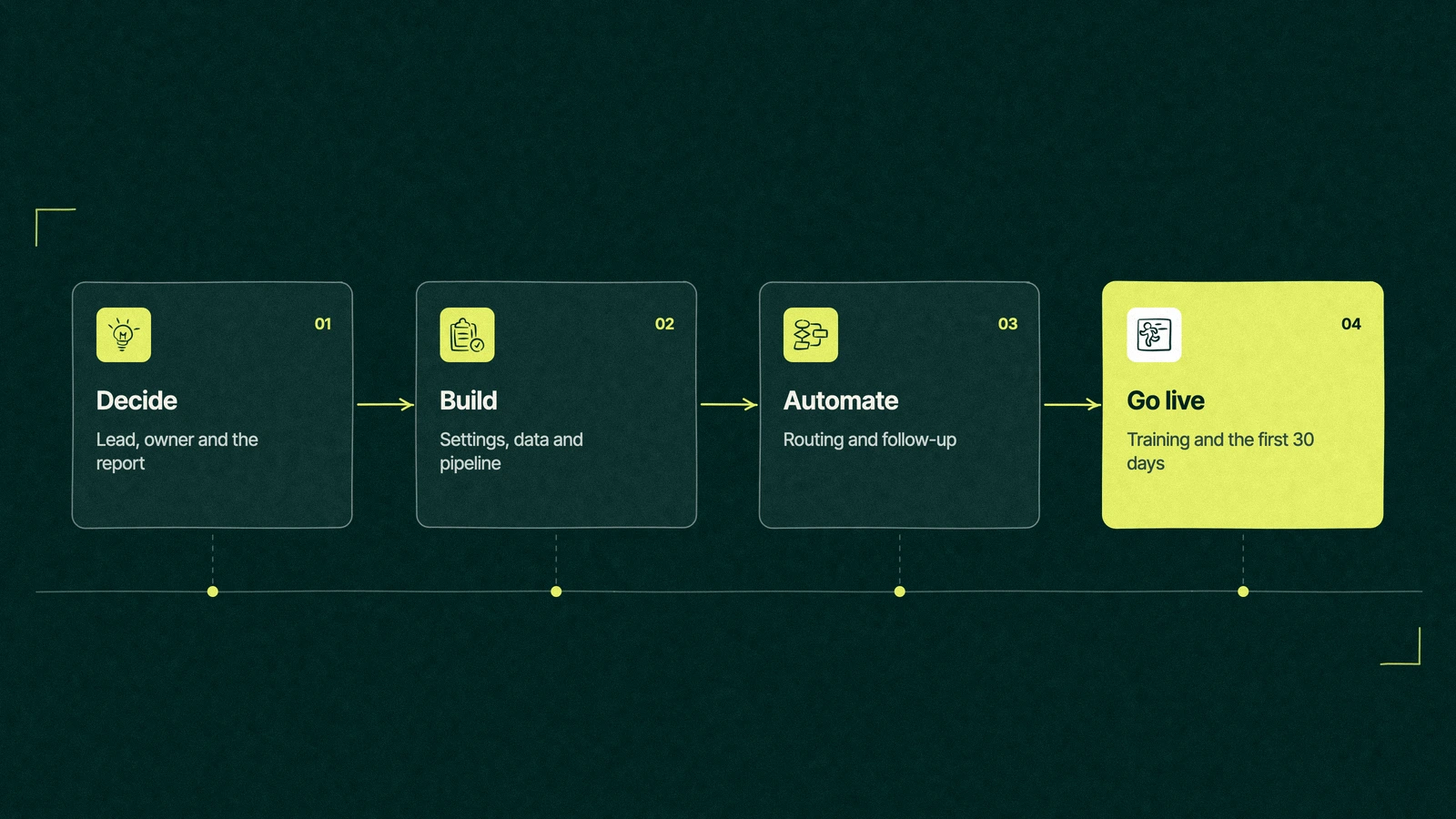
A HubSpot implementation checklist covers three decisions, then the build. The decisions are what counts as a lead, who owns a deal and which report leadership reads. The build is users and permissions, the email sending domain, the tracking code, properties, pipelines, a clean import, integrations, automation, reporting and training, in roughly that order.
Most published checklists start at the build and treat goals as a box to tick. That works until the third month, when the pipeline stages, properties and workflows all turn out to encode decisions made by accident.
Three decisions before the first click
Each of these takes an hour of the right people's time, and each one shapes dozens of settings. Write the answers in one shared document before anyone opens the settings menu. A HubSpot CRM setup checklist that skips them still produces a working portal, one built on guesses.
What counts as a lead. A form fill, a public bid notice, a referral from a past client, an introduction at a site visit? The answer sets your HubSpot lifecycle stages, your lead source property and the first workflow you build.
Who owns a deal. One name per deal, chosen by a rule people can repeat, such as territory, client type or whoever made first contact. Shared ownership feels collegial and makes every report argue with itself.
Which report leadership reads. Sketch it on paper first, with the columns and filters. Every property and pipeline stage you build exists to fill that page, and anything that doesn't is optional.
Our guide to how HubSpot fits together explains why all three land on the same record, and why the order matters more in HubSpot than in tools that keep marketing and sales apart.
The checklist, in the order that holds
With the decisions written down, the HubSpot CRM setup becomes a sequence rather than a scavenger hunt. The rest of the HubSpot implementation checklist below shows how to set up HubSpot so each step can rely on the ones before it.
Users and permissions. Add people with the access their role needs, using HubSpot's user permissions guide, and name one portal owner.
Tracking code.Install the tracking code on every site and landing page, so visits attach to contacts from day one.
Inbox and calendar. Connect each user's inbox and calendar, and set the meeting links reps will send.
Properties. Create only the custom properties your leadership report and your lead definition need, with one owner per property.
Pipelines and stages. Build each stage with an exit rule, the one thing that must be true before a deal moves on.
Data cleanup and import. Clean the old data first, then import contacts, companies and open deals. HubSpot matches contacts on email and companies on domain, so fix those two fields before anything else.
Forms. Rebuild or connect every website form, with hidden fields that record the source and the campaign.
Integrations. Connect only the apps that put a needed fact on the record. Our guide to HubSpot integrations sorts them by job.
Automation. Lead routing, owner assignment and follow-up tasks first, nurture emails second.
Reporting. Build the leadership report you sketched, then one dashboard per team.
Training and go-live. Train by role on the team's own deals, then set the old system to read-only.
Trade You.
Your email for great content delivered to your inbox. Regularly. Unless we forget. Or get busy. But we'll try.
Thank you! Your submission has been received!
Oops! Something went wrong while submitting the form.
What does a HubSpot implementation plan look like week by week?
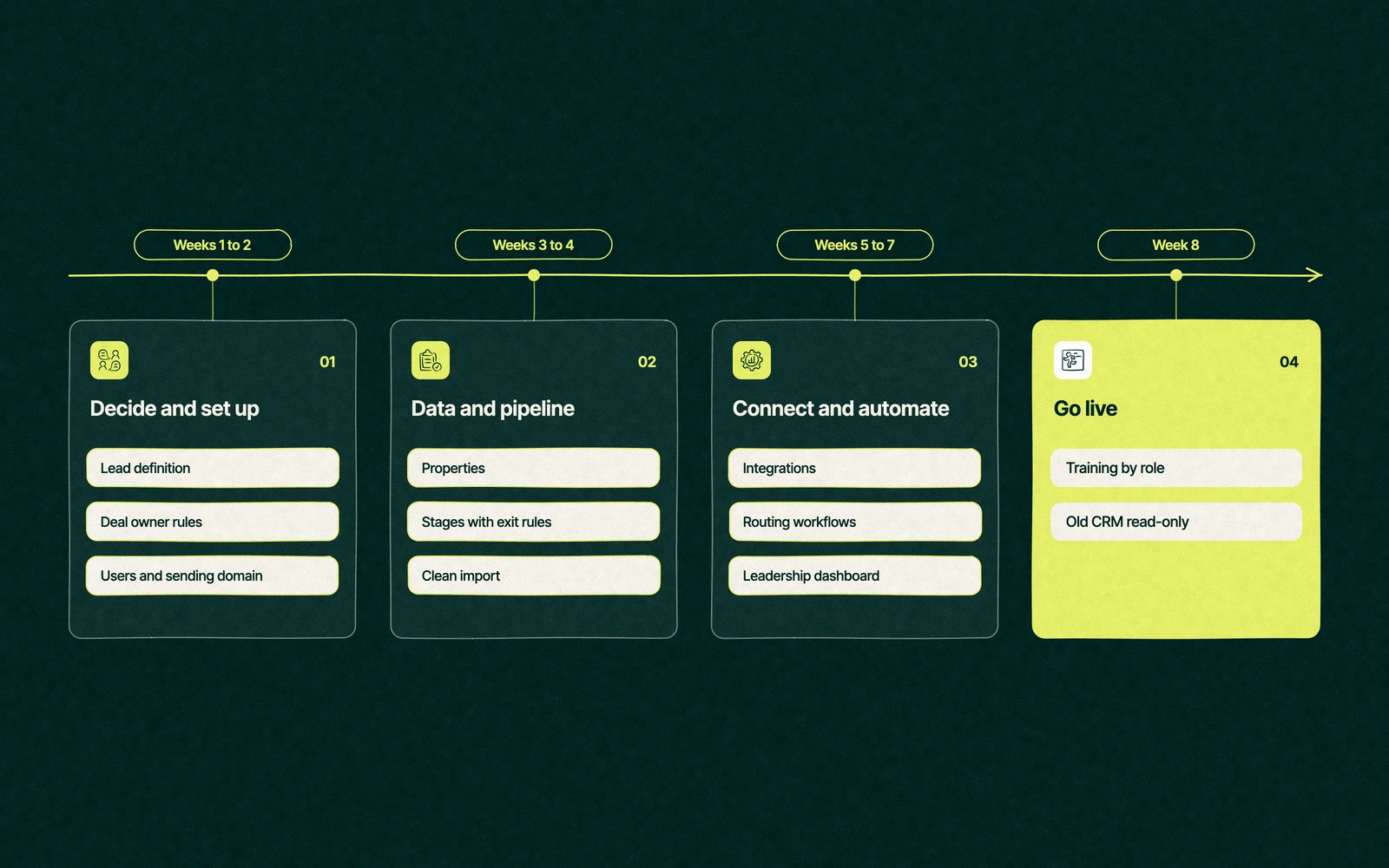
For one or two hubs at Professional, with one old CRM and tidy data, eight weeks is a comfortable plan. The table shows how a HubSpot implementation plan of that shape runs, and which decision has to be made before each workstream can start.
Weeks
Workstream
What gets built
Decision it waits on
1
Decisions
Lead definition, deal owner rules, the leadership report sketched
None, this week is the decision
2
Foundations
Users, permissions, sending domain, tracking code, inbox and calendar
Who sees which records
3
Properties and pipeline
Custom properties, pipeline stages with exit rules
What each stage means
4
Data
Cleanup, deduplication, import of contacts, companies and open deals
What counts as a lead
5
Integrations and forms
Website forms, accounting, calling or other connected apps
Which system owns each field
6
Automation
Lead routing, owner assignment, follow-up tasks, first nurture
Who owns a deal
7
Reporting
The leadership report and one dashboard per team
Which report leadership reads
8
Training and go-live
Role-based training, old system set to read-only
The date everyone stops using the old system
Notice where the decisions sit. Every workstream after week one depends on something decided in week one, which is why a slow first week is the cheapest delay in the whole project.
How long does HubSpot implementation take?
The honest HubSpot implementation timeline depends less on HubSpot than on the company. A HubSpot setup for a small team on one hub with clean data can go live in a few weeks. A migration from another CRM, custom objects, several integrations or more than one business unit each add weeks, and a company that skips the decisions adds months, spread out over the following year.
Professional and Enterprise subscriptions also come with HubSpot's own onboarding. As we write this, HubSpot's Sales Hub pricing page lists a required, one-time Professional onboarding fee of $1,500, on top of the subscription. Our post on the HubSpot onboarding fee explains what it buys and when it can be waived.
For the whole budget, including partner fees, our guide to HubSpot implementation cost lays out what moves the number.
What gets skipped and comes back in month four
Most HubSpot implementation failures start as steps someone skipped to hit a date. They look harmless at go-live and send an invoice later.
Exit rules on stages. Without them, reps move deals by mood, and the forecast becomes a weather report.
A property owner. Without one, marketing, sales and service each create fields as they need them, and within a few months the portal holds three properties called some version of industry.
Data cleanup before import. Duplicates imported on day one multiply through every workflow that touches them.
The read-only date. If the old CRM stays editable, half the team keeps using it, and neither system can be trusted.
Training on the team's own deals. Generic training fades in a week. Training on a rep's own pipeline sticks because it's their commission on the screen.
Bid season at the consultancy
The founder pushes go-live back by a week so her principals and the business development manager can settle the three decisions. A public bid notice becomes a lead only when a principal decides to pursue it, every pursuit has one owner chosen by client type, and her morning report shows open pursuits by deadline and by owner.
The build follows the list in order, and the old contact database goes read-only at the end of week eight. When the first transportation department notice arrives in March, it lands in HubSpot as a lead, gets an owner the same afternoon and shows up on the report she reads the next morning.
The week she gave up at the start is the only part of the project nobody has asked to redo.
The first 30 days after go-live
Go-live is the start of the habit, and the first month decides whether it forms. Good ongoing HubSpot support after implementation looks dull, which is the point.
Check the leadership report against the old numbers every week for the first month, fix data at the source when they disagree, and keep a short list of the requests people make. Workflows and new properties wait for day 30, when you know what people use.
Put that 30-day review on the calendar on go-live day. It's the last line on any HubSpot implementation checklist worth printing, and the one most teams leave off.
Leapyn, a Certified HubSpot Solutions Partner, builds B2B portals in exactly this order. Our HubSpot agency team handles HubSpot CRM setup services and HubSpot onboarding, and if we run the onboarding, we're able to waive the fee HubSpot would otherwise charge for it.
Tell us your go-live date. We'll plan the build backwards from it, decisions first.
“
The first call felt like talking to someone who already understood our business. We didn’t have to explain the basics. They showed up with questions that mattered.
James L.
Director of Growth, HR tech
Client
FAQ
Frequently asked questions
How long does a HubSpot implementation take?
+
Plan on about eight weeks for one or two hubs at Professional with one old CRM and tidy data. Smaller setups on a single hub can go live faster, while migrations, custom objects, several integrations or multiple business units each add time. The first week, spent on decisions about leads, deal ownership and the leadership report, saves the most time later.
Can I implement HubSpot myself?
+
Small teams with one tidy data source often can, using HubSpot's knowledge base and the onboarding that comes with Professional and Enterprise. The hard part is rarely the settings. Write down the three decisions first, follow the checklist in order and set the old system to read-only on a fixed date. Bring in help for migrations, integrations or reports across several objects.
What should be first on a HubSpot implementation checklist?
+
Decisions come before settings. Agree what counts as a lead, who owns a deal and which report leadership reads, then add users and permissions, connect the email sending domain and install the tracking code. Those three settings come first because every later step, from imports to workflows, depends on people having the right access and visits being tracked.
Why do HubSpot implementations fail?
+
Most failures trace back to steps skipped to hit a date. Stages without exit rules, properties without owners, dirty data imported on day one and an old CRM left editable all look harmless at go-live. Within a few months reports disagree, people stop trusting HubSpot and someone proposes a rebuild. Settling the decisions first prevents most of that.
Who can run a HubSpot implementation for us?
+
Your choice usually sits between HubSpot's onboarding program, an in-house admin and a Solutions Partner. HubSpot shapes its onboarding plan around your goals, size, products and tech stack, while a partner can take on the full build, including migration and integrations. Leapyn implements HubSpot for B2B companies as a Certified HubSpot Solutions Partner. Ask every option what will be live by week eight.
Written by
The Leapyn team
Senior marketers who run strategy, creative and demand gen for B2B companies. We write about what’s working for our clients right now.