Strategy, creative and execution, all in house.

See pricing →

Every channel, one team, weekly results.

See pricing →

Work that ships weekly and looks like you.

See pricing →

Every channel, one team, weekly results.

See pricing →

Different buildings. Same obsession with leases.

See pricing →

Different buildings. Same obsession with leases.

Pricing and packages →

Different products. Same obsession with pipeline.

All SaaS and technology work →

Different trades. Same obsession with booked jobs.

All home services work →

Different practices. Same obsession with signed clients.

All professional services work →
Thank you! Your submission has been received!
Oops! Something went wrong while submitting the form.

HubSpot

HubSpot dashboard examples leadership opens without being asked

Six HubSpot dashboards built around who reads them, each holding five reports and one decision, plus what HubSpot's templates, sharing and access settings allow.

HubSpot dashboard examples leadership opens without being asked

In this post

  1. toc

The CEO of a veterinary practice management software company is in a customer's waiting room, tablet on her knee, between a spaniel who has worked out where he is and a cat carrier that has gone very quiet. The clinic's practice manager will be out in ten minutes. Her lead investor has emailed one question in the meantime, which is how many clinics signed last quarter and where they came from.

She opens HubSpot and flicks through the list. There are thirty dashboards, copied from HubSpot dashboard examples over four years by two marketing managers, a sales director and an agency the company can't remember hiring, and not one of them answers the question on the first screen.

Most lists of HubSpot dashboard examples would add a thirty-first. This one starts from the reader instead, because a dashboard is only finished once the person it's built for opens it without being reminded.

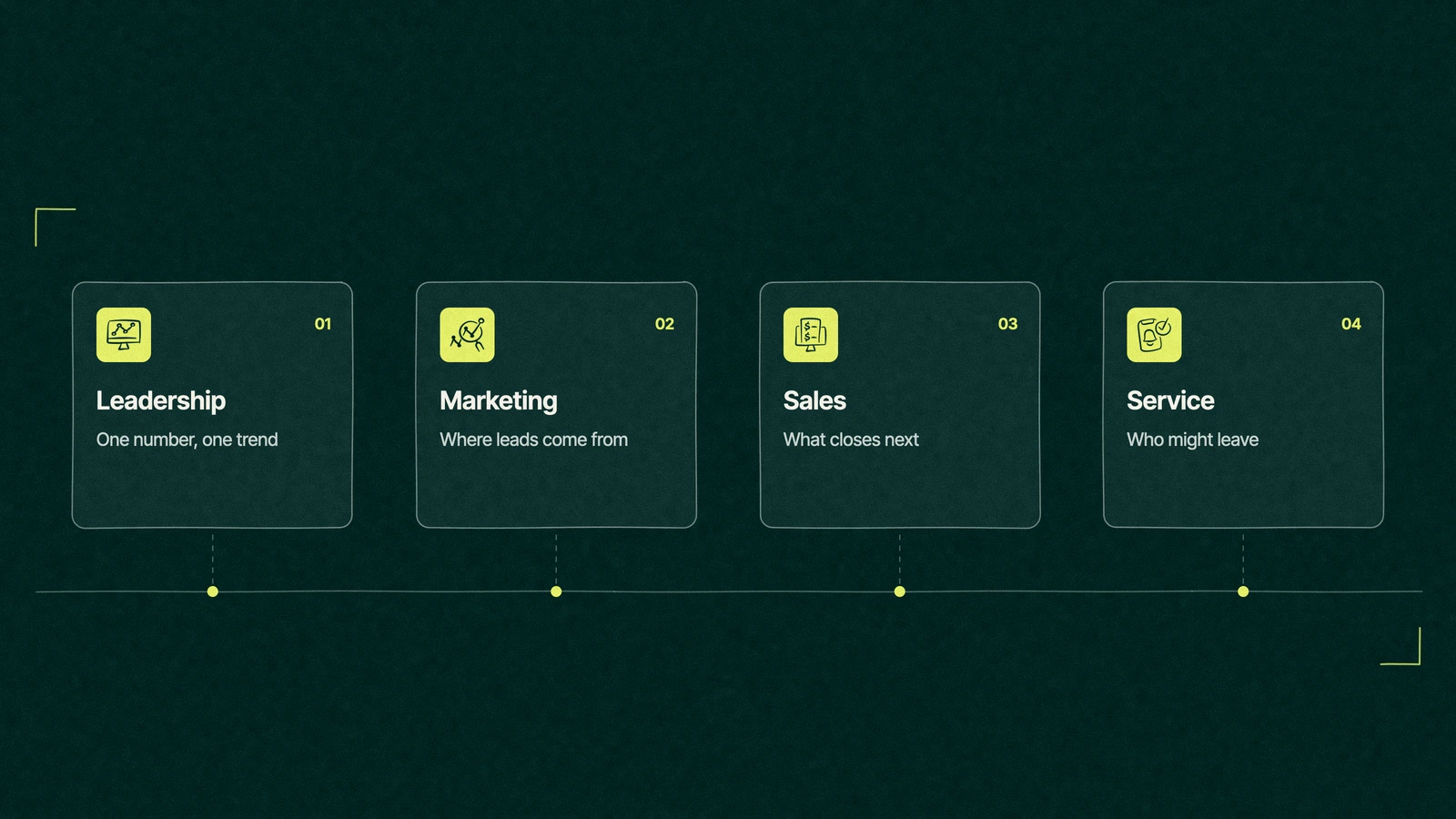
HubSpot dashboard examples for four readers, leadership, marketing, sales and service

What makes a good HubSpot dashboard?

A good HubSpot dashboard is built for one reader and one recurring decision. It holds about five reports, puts the number that answers the reader's main question in the top left, and uses the same definitions as finance. If its reader can't tell what changed since last time within a few seconds, it needs fewer reports.

Every HubSpot account has dashboards, the free CRM included, and you can start from a blank one or from a recommended template that HubSpot currently labels beta, per its guide to managing dashboards, last updated October 20, 2026. How many you can keep depends on your highest subscription.

Thirty dashboards, zero readers

Portals collect dashboards the way kitchen drawers collect takeaway menus. Each one was made for a good reason, usually a single question from a single meeting, and no one ever throws one away because someone might ask again.

The cost isn't the clutter. It's that thirty HubSpot dashboards quietly use thirty sets of definitions, so the marketing view counts a lead one way, the sales view another, and leadership trusts whichever number came up first.

The request we hear most is for HubSpot CRM executive dashboards in real time. HubSpot reports refresh from live records, so the real-time part is free. The hard part is agreeing what each number means before anyone draws a chart of it.

Six HubSpot dashboard examples by audience

These six cover most B2B companies with a marketing team and a sales team. Each one has an owner, a reader, five reports and a decision it exists to support, and anything that doesn't serve that decision belongs on a different dashboard or nowhere.

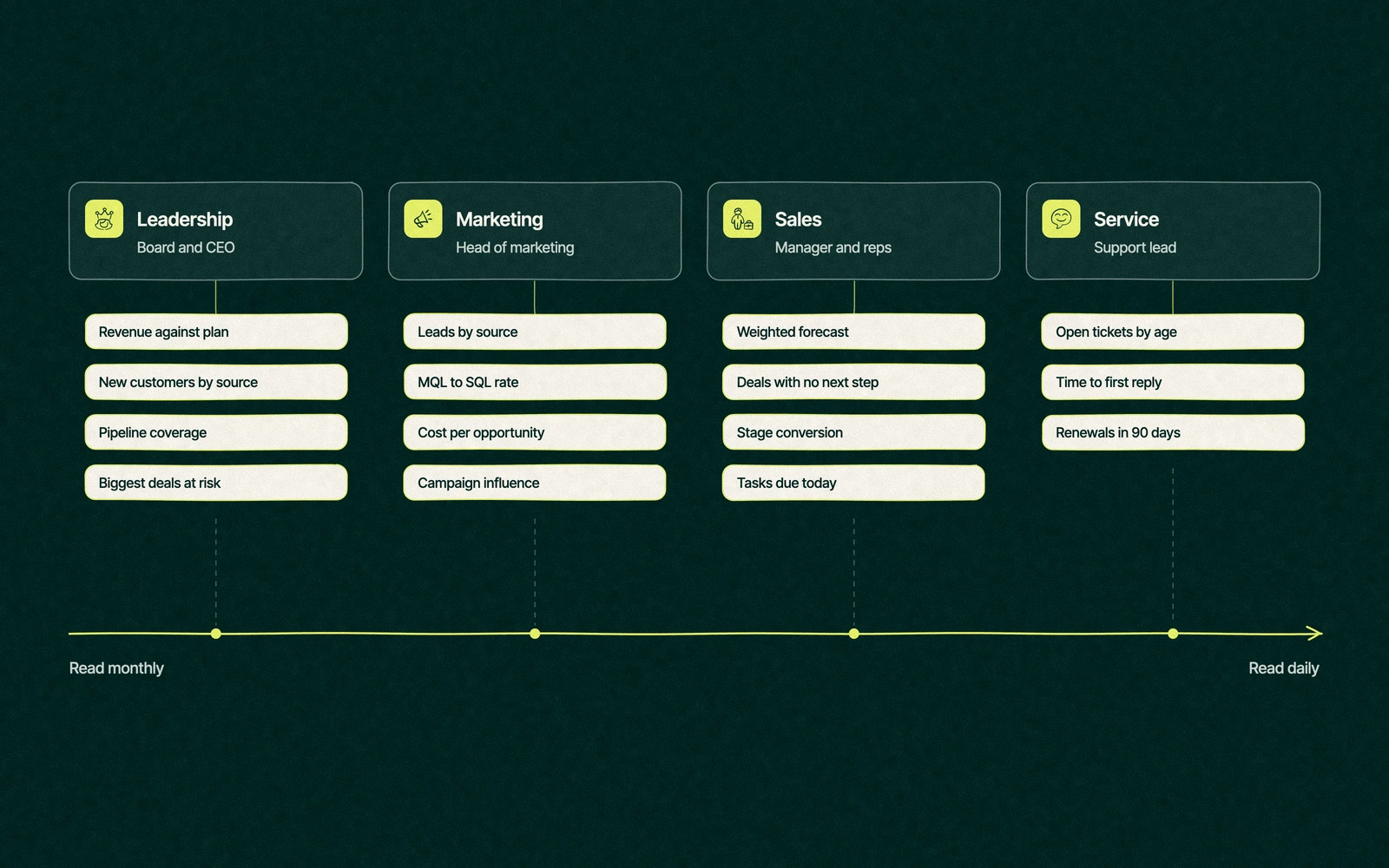
  1. The board dashboard. Revenue against plan, new customers by source, pipeline coverage for next quarter, average deal size and the trend in time to close. It supports one decision, whether the plan still holds, and it's read monthly.
  2. The CEO dashboard. Pipeline created this month, deals won and lost with reasons, the biggest deals at risk, new customers by source and renewals coming up. These are HubSpot dashboards for company-wide strategic KPIs, read weekly, and the decision is where to spend the CEO's own time.
  3. The marketing dashboard. Leads by source, MQL to SQL rate, cost per opportunity, campaign influence on closed revenue and website conversions. A HubSpot analytics dashboard like this one decides which channels get next quarter's money.
  4. The sales manager dashboard. A weighted forecast, stage conversion, deals with no next step, deals past their close date and activity by rep. This is the HubSpot sales dashboard most teams mean, and it decides which deals get a manager's attention this week.
  5. The rep dashboard. My open deals by stage, tasks due today, meetings booked this week, my contacts with no activity in 30 days and my forecast. It decides what to do before lunch, so keep it to the rep's own records.
  6. The service dashboard. Open tickets by age, time to first reply, customer satisfaction, accounts with several tickets this month and renewals in 90 days. It decides which customers need a call before the renewal does the talking.
Six HubSpot dashboards grouped by audience on a scale from read monthly to read daily, with the reports each one holds

Several of these reports depend on the stage definitions underneath them. Pipeline by source and MQL to SQL rate only mean something once lifecycle stages with written definitions are in place, and the forecast only works if reps keep deals honest in Sales Hub's pipeline tools.

Trade You.

Your email for great content delivered to your inbox. Regularly. Unless we forget. Or get busy. But we'll try.

Thank you! Your submission has been received!
Oops! Something went wrong while submitting the form.

One dashboard, one decision

The same six HubSpot dashboard examples, laid side by side, show how little they overlap. If two rows on your own version share a decision, merge them.

DashboardWho reads itHow oftenThe decision it supportsThe report in the top left
BoardBoard and investorsMonthlyDoes the plan still holdRevenue against plan
CEOFounder or CEOWeeklyWhere to spend the CEO's timePipeline created this month
MarketingHead of marketingWeeklyWhich channels get next quarter's budgetLeads by source
Sales managerSales managerWeeklyWhich deals need a managerWeighted forecast
RepEach repDailyWhat to do before lunchTasks due today
ServiceSupport leadDailyWhich customers need a callOpen tickets by age

The last column does more work than it looks. A dashboard whose top-left report changes every time someone edits it is a dashboard the team hasn't agreed on yet.

Should you use HubSpot dashboard templates or build your own?

HubSpot dashboard templates are fair HubSpot dashboard examples to learn from in a new portal, because they show which standard reports exist and how they look on a screen. They're built for the average company, though, so they count every lifecycle stage and source the default way and include reports your team may never read.

Our advice is to create from a template, then delete until five reports remain. Build custom reports only where the template can't answer the decision, such as revenue by source when deals come in through a partner channel, and give every custom report a name that says what it counts.

A HubSpot reporting dashboard pulling in data from other tools needs those tools connected first, and our guide to the HubSpot integrations worth connecting covers which ones bring clean data with them.

Back in the waiting room

The spaniel went in first. By the time the cat carrier was called, the CEO had found her answer, spread across a marketing dashboard built for a campaign that ended two years ago and a sales dashboard that counted trial sign-ups as clinics.

Her reply to the investor took one sentence and an apology for the delay. Her message to the ops lead took longer, and asked for six dashboards, one per reader, with new clinics by source in the top left of hers.

Twenty-four dashboards were archived that month. Nobody asked for any of them back, which tells you exactly how many people had been reading them.

The five-second rule

A dashboard passes when its reader can say what changed since the last visit within five seconds of opening it. Most fail on layout long before they fail on data, so these checks come first.

  • The answer sits top left. The report that answers the reader's main question goes first, as a single number with a comparison to last period.
  • Trends beat totals. A line over time tells a CEO more than a big number with no history behind it.
  • One date range for all. Dashboard filters for date range, owner or team and pipeline keep every report on the same window, so no reader compares a month to a quarter by accident.
  • Notes count as reports. HubSpot caps the reports on each dashboard by edition and counts text notes toward that cap, according to its article on customizing dashboards. Spend the space on reports.

If the reader has to hunt for the answer, the dashboard has already lost them.

Can you share a HubSpot dashboard outside the portal?

Partly. A dashboard link only works for users in your HubSpot account, and recurring dashboard emails can only go to HubSpot users, per HubSpot's guide to emailing and exporting dashboards, last updated June 12, 2026.

Sending a one-off email to someone outside the account takes a Professional or Enterprise edition, admin-level reporting permissions and a recipient domain connected as an email sending domain, with a limit of 100 a day. For an investor who wants the numbers every month, a free view-only seat is often the simpler route.

Inside the account, access is set per dashboard. Anyone can be allowed to view or edit, or it can be limited to the owner and super admins, and only Enterprise can assign access to particular teams and users.

Who builds the dashboards

Whoever owns the definitions should own the dashboards, which in most companies is a RevOps or marketing ops lead. Start the build with the list of decisions, and borrow from HubSpot dashboard examples only after that, and add dashboards to the setup plan in our HubSpot implementation checklist rather than leaving them for later. Our HubSpot explainer shows where reporting sits among the hubs.

Leapyn builds dashboards by audience through HubSpot reporting services, starting with the decision each reader makes. Our HubSpot agency team builds for B2B companies, and HubSpot's directory shows Leapyn under Certified HubSpot Solutions Partner.

Name the number your investors ask for. We'll put it top left on a dashboard somebody reads.

“

The first call felt like talking to someone who already understood our business. We didn’t have to explain the basics. They showed up with questions that mattered.


James L.

Director of Growth, HR tech

Client

FAQ

Frequently asked questions

Does HubSpot have a dashboard?

+

Every HubSpot account has dashboards, from the free CRM up to Enterprise, and a default one appears when the account is created. You can add blank dashboards, start from a recommended template and save up to 10 as favorites. The number of dashboards you can keep and the reports each holds depend on your highest subscription, as listed in HubSpot's catalog.


How many reports can a HubSpot dashboard hold?

+

The cap depends on your subscription and is set in HubSpot's Product and Services Catalog, and text notes count toward it. Few dashboards need anywhere near the cap. We build most around five reports, because a reader who has to hunt stops reading, and a sixth report usually means a second decision that belongs on its own dashboard.

What should be on a HubSpot sales dashboard?

+

Five reports cover most sales managers. Put a weighted forecast top left, then stage conversion, deals with no next step, deals past their close date and activity by rep. Reps need their own smaller version showing only their deals, tasks due today and meetings this week. Both depend on reps updating deal stages and close dates as things change.

Which HubSpot dashboard examples should a small company build first?

+

Start with two. A leadership view with revenue against plan, new customers by source and pipeline coverage, and a sales view with the forecast and deals that have no next step. Add marketing and service dashboards once those two are read every week. Building six at once tends to produce six half-finished dashboards without an owner.

Who can build our HubSpot dashboards?

+

Any user with reporting permissions can build them, and the person who owns your definitions should. A RevOps or marketing ops lead usually knows the decisions each reader makes. Leapyn, a B2B shop with the Certified HubSpot Solutions Partner title, builds dashboards by audience for B2B companies, starting from those decisions and archiving the ones that go unread. Agree the definitions before anyone builds a chart.

Leapyn frog mark for the Leapyn team, authors of the B2B marketing blog

Written by

The Leapyn team

Senior marketers who run strategy, creative and demand gen for B2B companies. We write about what’s working for our clients right now.

More from this author →

If you like us here, you'll love us on LinkedIn.

Stay updated

Keep reading

Related articles