Strategy, creative and execution, all in house.

See pricing →

Every channel, one team, weekly results.

See pricing →

Work that ships weekly and looks like you.

See pricing →

Every channel, one team, weekly results.

See pricing →

Different buildings. Same obsession with leases.

See pricing →

Different buildings. Same obsession with leases.

Pricing and packages →

Different products. Same obsession with pipeline.

All SaaS and technology work →

Different trades. Same obsession with booked jobs.

All home services work →

Different practices. Same obsession with signed clients.

All professional services work →
Thank you! Your submission has been received!
Oops! Something went wrong while submitting the form.

HubSpot

HubSpot vs Pipedrive in 2027, for a sales team that's starting to grow

A side by side look at HubSpot and Pipedrive for a sales team that is growing, with what each costs at five and ten reps and what a move between them keeps.

HubSpot vs Pipedrive in 2027, for a sales team that's starting to grow

In this post

  1. toc

The sales manager of a used forklift dealer is out on the yard, watching a technician run a mast test on a reconditioned 5,000 pound forklift with 9,000 hours on the meter. Her phone buzzes. It's the marketing coordinator, who has been running ads for the trade-in form all autumn and wants to know which of those leads turned into a sale, which is a HubSpot vs Pipedrive problem before anyone has said either name.

She can't tell him. Her four reps love Pipedrive, they keep every deal current, and they would sooner sell a forklift with a leaking hydraulic line than give it up. Marketing has no login, and the trade-in leads arrive by email, so the trail goes cold at the sales floor door.

That's the whole question in one phone call. A forklift with 9,000 hours on the meter is honest about its past, and right now her CRM tells its story only to the sales team.

Our team builds HubSpot portals for B2B companies, and plenty of them arrive from Pipedrive. So this comparison says plainly where Pipedrive is the better buy, prices both at the edition a growing team ends up on, and covers the move if you make it.

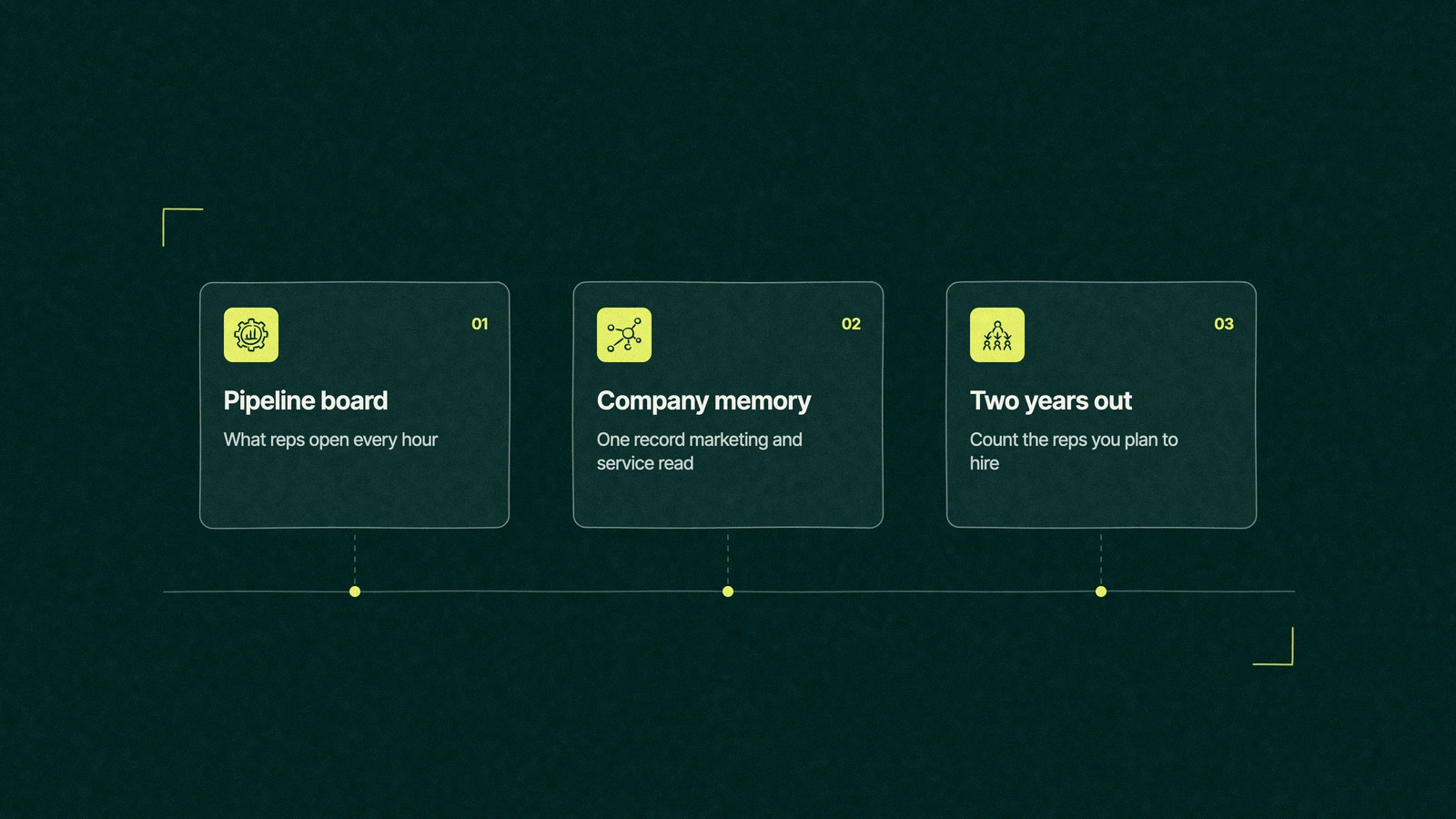
HubSpot vs Pipedrive shown as three cards, a pipeline board for reps, a shared record for marketing and service, and the rep count in two years

HubSpot vs Pipedrive, which one fits a growing team?

Pipedrive fits a sales team after a fast, cheap pipeline its reps will keep current. HubSpot fits a company where marketing and service need the same customer record as sales. Decide on two questions, who else needs to see the deal and how many reps you'll have in two years, and the choice usually makes itself.

The vendor pages that rank for this search each argue for their own product, which is fair, since it's their page. Ours is a partner's view, and we sell HubSpot services, so weigh it with that in mind.

A pipeline board or a company memory

Pipedrive is a very good pipeline board. A rep opens it, sees every deal as a card in a column, drags the card when something happens and gets a nudge when a deal goes quiet. That's the whole pitch, and it works because it asks so little of the rep.

HubSpot is closer to a company memory. The deal sits on one record with the ad click, the form fill, the marketing emails the buyer opened and the support tickets after the sale, so anyone in the company can read the whole story of a customer.

Comparing the two on price per seat is like comparing a forklift and a warehouse on lifting capacity. One moves the load in front of you, the other remembers where everything went.

Most teams need the board first. The memory starts to matter when a second team asks a question the sales pipeline can't answer, like the coordinator on the forklift yard asking which ads sold anything.

The board also has a habit worth admiring. Because Pipedrive asks reps for so little, the data in it tends to be current, and a current pipeline in a simple tool beats a stale one in a big platform every quarter of the year.

HubSpot can feel just as light to a rep if someone sets it up that way. The trouble starts when a portal shows a rep forty fields on a deal and twelve tabs on a contact, and the rep quietly goes back to keeping deals in his head. Most of the HubSpot vs Pipedrive arguments on forums are about that setup, and very few are about the software.

Side by side, at the edition you'll grow into

Comparisons usually set Pipedrive's cheapest seat against HubSpot's cheapest seat, and neither is where a growing team ends up. The table shows each step, with prices from Pipedrive and HubSpot's Sales Hub pricing as both pages read on November 16, 2026, when we wrote this.

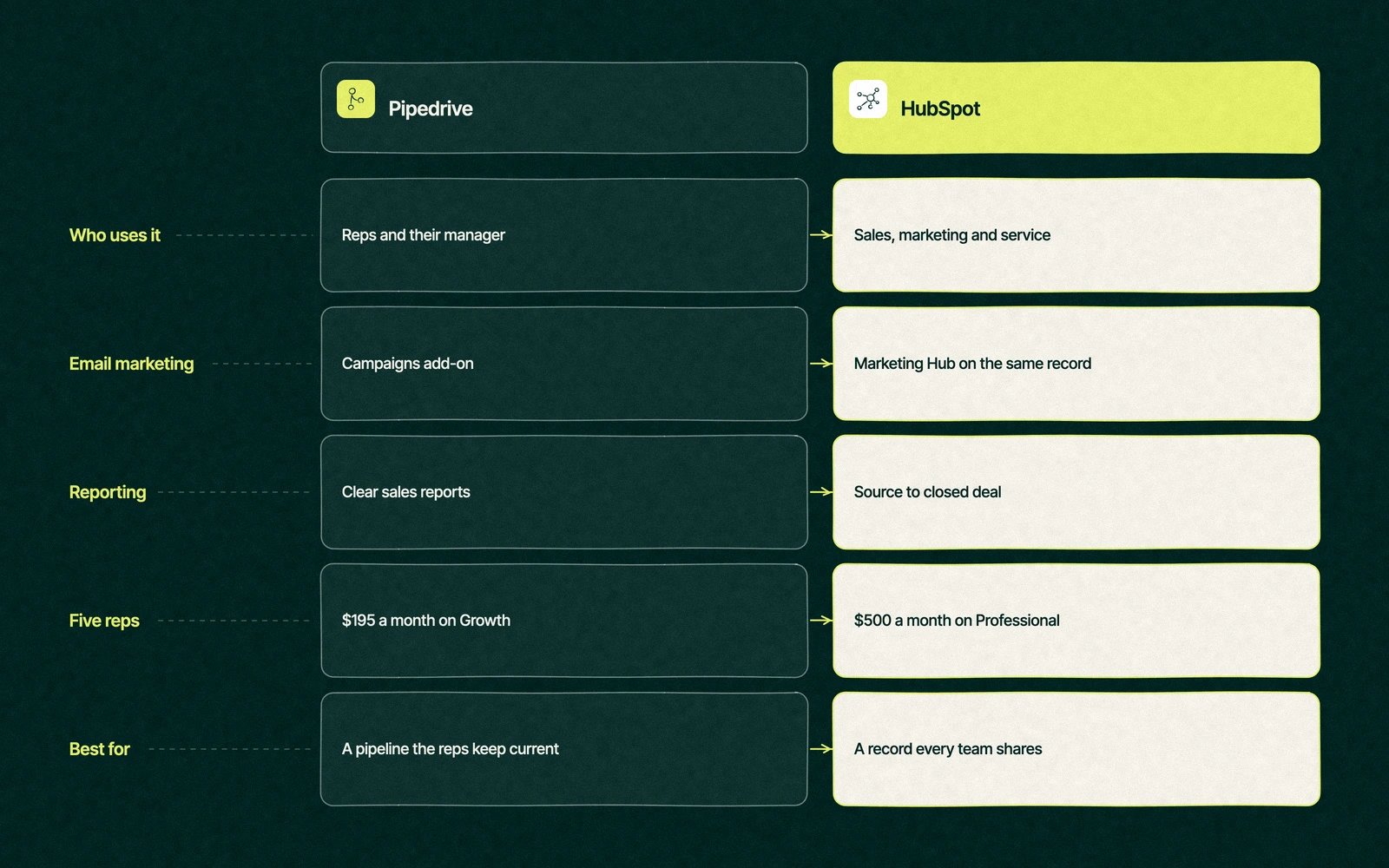
QuestionPipedriveHubSpot
Cheapest way inLite, US$14 a seat each month on an annual plan, with a 14-day trial and no free planFree CRM for up to 2 users, then Starter at $20 per seat list
Where growing teams landGrowth at US$39 or Premium at US$59 per seat, billed annuallyThe Professional edition of Sales Hub, $100 a seat at list price
One-time setup feeNone listed, and Pipedrive says implementation is free on plans over $400 a yearRequired Professional onboarding of $1,500
Sales email and follow-upFull email sync, automations and nurturing sequences from GrowthCapped workflows on Starter, sequences and full workflows from Professional
Email marketingCampaigns add-on, from $13.33Marketing Hub, on the same contact record
ReportingClear sales reports, plus AI report buildingCustom reports across marketing, sales and service from Professional
Best forSales-led teams that need a pipeline reps adopt in a dayCompanies where marketing and service read the same record

Read the second row first. A team of four reps buying a CRM today is usually buying for the team it will be in two years, and that team rarely stays on Lite or Starter once managers want forecasts and automated follow-up.

HubSpot was also showing discounts for new customers on annual terms when we checked, so the quote you get may sit below the list price. Pipedrive's prices above are the annual rates, and monthly billing costs more.

Our post on CRMs that compete with HubSpot puts Pipedrive next to Salesforce, Zoho and monday CRM. This one stays on the two-way choice, and the finance director weighing the other common pairing can read HubSpot vs Zoho.

HubSpot vs Pipedrive comparison table on users, email marketing, reporting, cost at five reps and best fit

Trade You.

Your email for great content delivered to your inbox. Regularly. Unless we forget. Or get busy. But we'll try.

Thank you! Your submission has been received!
Oops! Something went wrong while submitting the form.

Is Pipedrive cheaper than HubSpot?

At every step on the price list, yes. Five reps on Pipedrive Growth cost $195 a month on annual billing, and five reps on Sales Hub Professional cost $500 a month at list price, plus the $1,500 onboarding fee in year one.

At ten reps the gap widens to $390 a month against $1,000. That's the number most Pipedrive vs HubSpot comparisons quote, and it's correct as far as it goes.

It stops being the whole comparison once marketing joins. A Pipedrive team that adds the Campaigns add-on, a separate marketing automation tool and a connector between them is paying three bills to rebuild what HubSpot keeps on one record, and someone has to keep the three in sync.

Count the people who'll touch the record, not only the reps. If the answer is the sales team alone, Pipedrive is the cheaper CRM and will stay that way. Our breakdown of HubSpot pricing by edition and seat covers the HubSpot side in detail.

Can Pipedrive do marketing automation?

Some. Growth adds automations and nurturing sequences for sales follow-up, Premium adds LeadBooster lead capture and routing with custom scoring, and the Campaigns add-on sends email newsletters to your contact list.

What it doesn't have is a marketing team's daily work on the same record. Landing pages, ad audiences built from CRM lists, lifecycle stages and attribution from first click to closed deal live in HubSpot's Marketing Hub, where the Professional edition starts at a list price of $890 monthly, three seats included, plus $3,000 for the required onboarding.

That price is the main reason many growing teams stay on Pipedrive longer. Marketing Hub earns its cost when marketing finds a good share of the pipeline, and it's dead weight when the reps source every deal themselves.

When Pipedrive is the right call, and when the team outgrows it

Pipedrive is the right call for a team where sales sources its own deals, reps spend their day on calls and site visits, and the manager needs a pipeline that matches reality more than a report that matches the website. That describes a lot of equipment dealers, distributors and trades businesses.

These are the signs a team is outgrowing it.

  • Marketing asks which campaigns sold anything, and the answer takes an afternoon of exports.
  • Service or parts teams keep their own customer list, so a rep finds out about an open complaint from the customer.
  • The rep count is heading past ten, and managers want forecasts, territories and rules for who owns which account.
  • Three or more tools are connected to the CRM to do what one platform would do, and the connections break without warning.
  • Leadership wants revenue by source, from first ad click to signed order.

Pipedrive's own pages make a fair point in the other direction. A team that bought HubSpot for marketing it never ran can move to Pipedrive, pay less and lose nothing it used, and we'd rather say so than sell a platform nobody opens.

One sign is a reason to watch. Three is usually the point where HubSpot vs Pipedrive for growing sales teams stops being a price question and becomes a question about who the CRM serves.

Back on the forklift yard

The sales manager doesn't switch that afternoon. She writes two numbers on the back of the mast test sheet. Four reps today, seven planned within two years, and three teams that want the record, because the parts counter keeps its own customer list for maintenance contracts.

That settles the HubSpot vs Pipedrive decision for her. The reps keep Pipedrive until the renewal date, so the company never pays for two CRMs at once, and the move to HubSpot is planned for the quiet weeks after the spring rental rush.

Her reps are the hard sell. She makes them a promise that the deal board stays, with the same stages and the same drag and drop, and that logging a call takes no more clicks than it does now. The coordinator gets his answer three months later, and it turns out the trade-in ads sold more forklifts than the reps had guessed.

How do you move from Pipedrive to HubSpot?

HubSpot's Smart Transfer tool handles most of a Pipedrive to HubSpot migration. It audits the Pipedrive account, builds matching properties and pipelines, syncs the records and can revert a transfer, and only Super Admins can run it.

  1. Write the deal stages down first. Agree what each Pipedrive stage means before HubSpot copies it, because a messy stage list copies perfectly.
  2. Run the audit. Smart Transfer counts records and lists every Pipedrive field, which shows the fields that have sat empty since the last sales manager left.
  3. Check what maps where. People become contacts, organizations become companies and deals stay deals, according to HubSpot's supported apps list for Smart Transfer.
  4. Plan for activities and emails. Syncing Pipedrive calls, meetings and tasks needs a Data Hub subscription, and emails logged in Pipedrive don't transfer, so export the threads your reps can't lose.
  5. Bring the extras over after the sync. Attachments, deal participants and deal products come across in a one-time transfer once the records are in.
  6. Rebuild the follow-up automation. Smart Transfer creates its own workflows to set close and create dates, and your Pipedrive automations get rebuilt by hand in HubSpot.
  7. Switch the reps over on one date. Pipedrive goes read-only, the deal board in HubSpot opens with the same stages, and someone sits with each rep for their first hour.

Our CRM data migration checklist covers the history that gets lost in any move, and sequences in HubSpot covers the follow-up emails reps will rebuild first.

Where we sit in this

We hold the Certified HubSpot Solutions Partner badge, so we're not neutral, and we'll still tell a sales-only team to stay on Pipedrive. When the move makes sense, our Pipedrive to HubSpot migration service carries the records, activities and stages across, quoted as one fixed fee that's set down in writing before the first record moves.

If you're still weighing the platform itself, our guide to how HubSpot's hubs share one database is the place to start, and our HubSpot agency team can look at your current setup with you.

Count the reps you'll have in two years. We'll match the CRM to that team, even if it's Pipedrive.


“

The first call felt like talking to someone who already understood our business. We didn’t have to explain the basics. They showed up with questions that mattered.

James L.

Director of Growth, HR tech

Client

FAQ

Frequently asked questions

HubSpot vs Pipedrive, which is better for sales?

+

Pipedrive usually wins as the daily tool for a team that only sells. Reps adopt the deal board quickly, the follow-up automation in Growth costs US$39 a seat on annual billing, and setup is light. HubSpot pulls ahead when managers need forecasts across many reps, or when marketing and service need the same customer record as sales.

Is Pipedrive cheaper than HubSpot?

+

On list price, at every level. Pipedrive Growth costs US$39 a seat per month billed annually, while HubSpot Sales Hub Professional lists at $100 a seat plus a one-time $1,500 onboarding fee. HubSpot's free CRM covers two users, which Pipedrive doesn't match. The gap narrows once you add separate marketing tools to Pipedrive.

Can Pipedrive do marketing automation?

+

Partly. Pipedrive Growth automates sales follow-up with sequences, Premium routes leads with LeadBooster, and the Campaigns add-on sends email newsletters from $13.33. Landing pages, lifecycle stages, ad audiences and attribution from first click to closed deal need another tool, which is where HubSpot's Marketing Hub covers more on one record.

How do you migrate Pipedrive to HubSpot?

+

HubSpot's Smart Transfer tool moves people, organizations, deals and products from Pipedrive, and a Super Admin runs it. Syncing calls, meetings and tasks needs a Data Hub subscription, and logged emails don't transfer. Agree your deal stages first, audit the fields, bring attachments over after the sync, then rebuild automations in HubSpot.

Who can move us from Pipedrive to HubSpot?

+

Your own admin can run Smart Transfer for a small, tidy account. Bigger moves with years of activity, custom fields and connected apps usually go to a migration specialist or a HubSpot partner. Leapyn quotes migrations as one fixed fee, works as a Certified HubSpot Solutions Partner, and will tell a sales-only team when staying on Pipedrive is the better choice.

Leapyn frog mark for the Leapyn team, authors of the B2B marketing blog

Written by

The Leapyn team

Senior marketers who run strategy, creative and demand gen for B2B companies. We write about what’s working for our clients right now.


More from this author →

If you like us here, you'll love us on LinkedIn.

Stay updated

Keep reading

Related articles