Strategy, creative and execution, all in house.

See pricing →

Every channel, one team, weekly results.

See pricing →

Work that ships weekly and looks like you.

See pricing →

Every channel, one team, weekly results.

See pricing →

Different buildings. Same obsession with leases.

See pricing →

Different buildings. Same obsession with leases.

Pricing and packages →

Different products. Same obsession with pipeline.

All SaaS and technology work →

Different trades. Same obsession with booked jobs.

All home services work →

Different practices. Same obsession with signed clients.

All professional services work →
Thank you! Your submission has been received!
Oops! Something went wrong while submitting the form.

HubSpot

HubSpot alternatives for 2027, and when switching is the mistake

Four HubSpot alternatives sorted by the job each one does best, written by a HubSpot partner who says so, with the cases where leaving is the wrong fix.

HubSpot alternatives for 2027, and when switching is the mistake

In this post

  1. toc

Three days after the hailstorm, the sales director of a regional insurance brokerage has stopped selling anything. Every producer in the office is on the phone with policyholders about dented roofs and cracked skylights, the claims queue is longer than anyone has seen it, and new business will wait until the adjusters catch up.

So in the quiet hour after the phones stop she finally reads up on HubSpot alternatives, which she has been putting off since the renewal notice arrived. Three of the four lists she opens were published by a company that sells a CRM or a help desk, and each of those three puts its own product first, which is a bold way to run a taste test.

Her question isn't on any of the lists. Her producers barely log their calls in the CRM they have now, and she can't tell whether a cheaper one would fix that or just make the same habit cheaper.

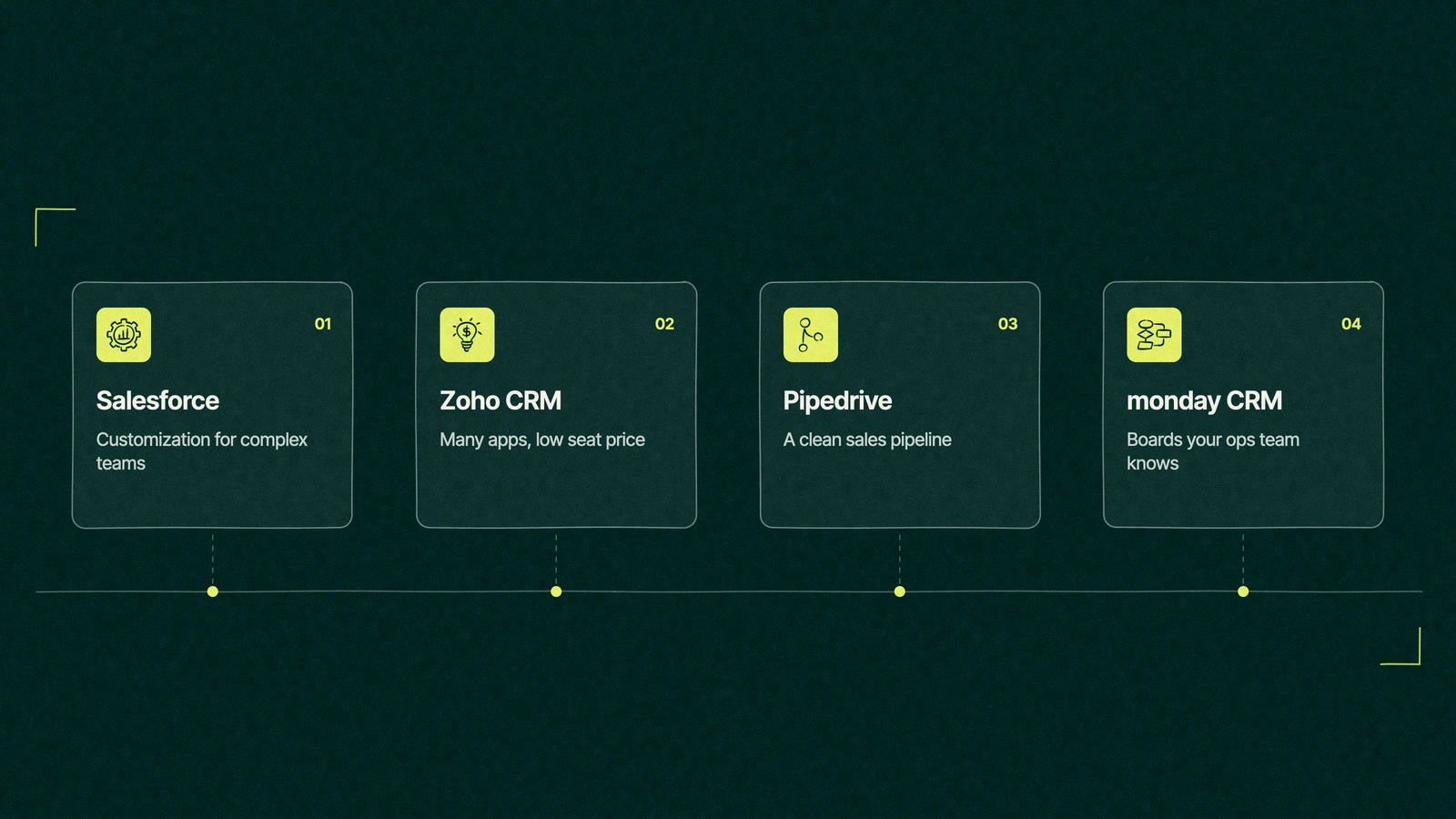
HubSpot alternatives shown as four cards for Salesforce, Zoho CRM, Pipedrive and monday CRM, each with the job it suits

What are the best HubSpot alternatives?

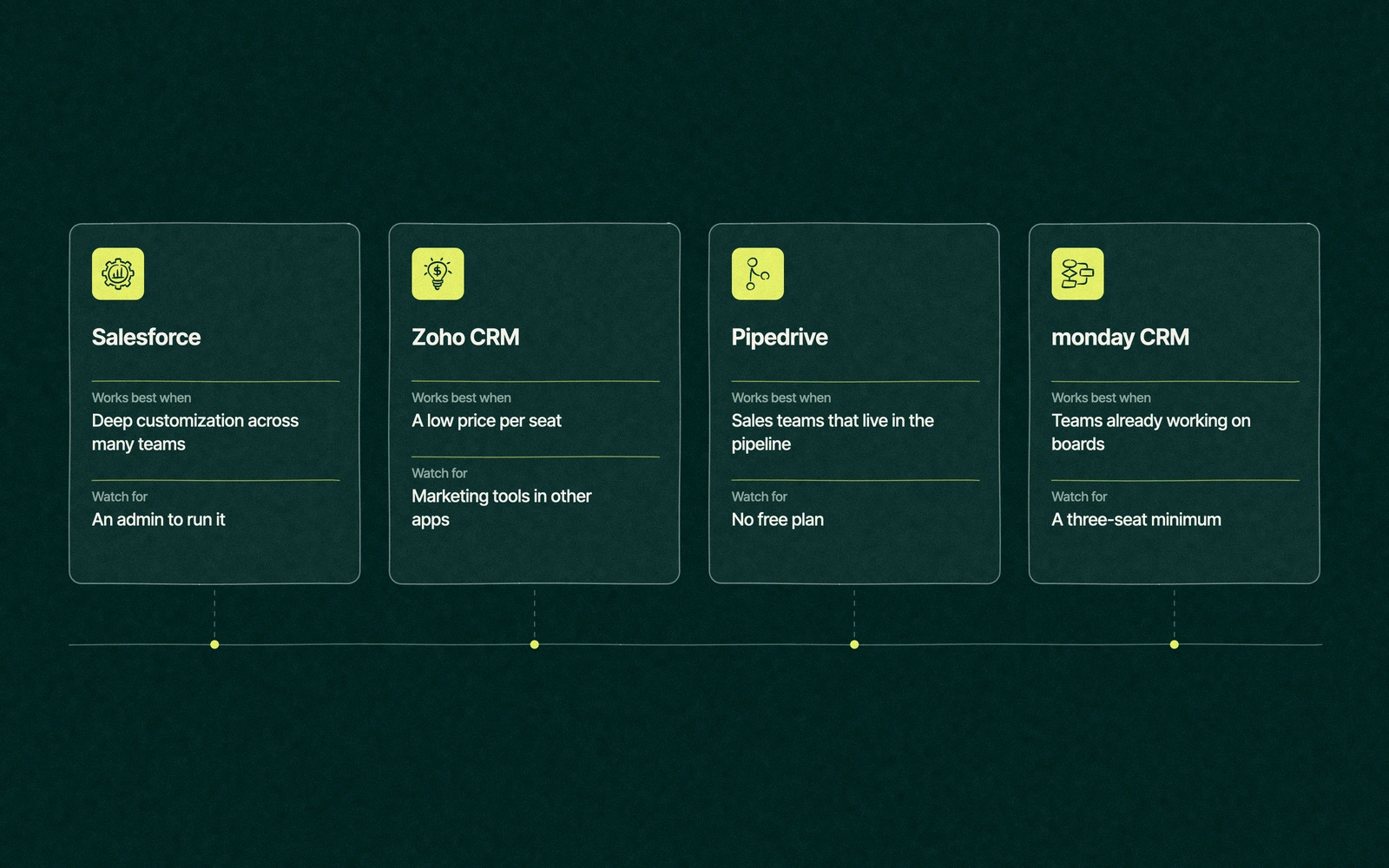
The best HubSpot alternatives depend on the job. Salesforce suits companies that need deep customization across many teams, Zoho CRM suits teams that want a low price per seat, Pipedrive suits sales teams that only need a clean pipeline, and monday CRM suits teams already working on boards. If the problem is adoption, switching rarely fixes it.

We're a HubSpot partner, so read this list knowing that. We've kept the comparisons to what each vendor publishes and to the trade-offs we see when companies move, and we say plainly where another CRM is the better buy.

Why the renewal sends people shopping

Most searches for HubSpot alternatives start with a quote. The step from Starter at $20 a seat to Professional, with its required onboarding fee, is the biggest jump on HubSpot's pricing page, and our breakdown of HubSpot's total cost by edition shows how seats and marketing contacts add to it.

Marketing contacts add their own pressure. HubSpot bills for every contact you can email, so a company with a big list and a small sales team can end up paying more for its list than for its people.

The forum threads on page one of the search add two more reasons. One is a portal without an owner, where properties and workflows pile up until reports stop agreeing. The other is a sales team that never wanted marketing tools in the first place and pays for them anyway.

Only one of those three reasons is about HubSpot itself. The other two follow a company to whichever CRM it buys next.

That's worth knowing before you book four demos. HubSpot alternatives can fix price and fit, and the good ones fix both, but none of them fixes a team that doesn't log its calls.

The alternatives, sorted by the job they do best

Ranked lists hide the point, because the right CRM depends on what you need it to do. The table sorts four common HubSpot competitors by job, with starting prices taken from each vendor's pricing page on November 16, 2026.

AlternativeBest forStarting priceBetter than HubSpot atWhat you give up
SalesforceCompanies with many teams and custom processesStarter Suite $25 per user monthly, Pro Suite $100 on annual billingCustomization and admin controlA simple setup, since most companies need an admin
Zoho CRMCost-conscious teams that want other business apps from one vendorFree for 3 users, Standard US$14 per user a monthPrice per seat and the size of the wider suiteMarketing and sales on one record without adding more apps
PipedriveSales teams that live in the pipelineLite US$14 per seat a month billed annuallyA pipeline view reps adopt quicklyMarketing automation and a free plan
monday CRMTeams already running work on monday.com boardsBasic $12 per seat a month billed yearly, from 3 seatsBoards that ops teams already knowA free plan and depth in email marketing

For reference, HubSpot's own free CRM covers two users at no cost and Starter's list price is $20 a seat each month, according to HubSpot's Sales Hub pricing. The prices change often, so check each page before you sign anything.

Read the table from the last column backward. Every one of these HubSpot alternatives does something better than HubSpot and asks you to give something up, so ask which loss your team won't notice.

Four HubSpot alternatives side by side with when each works best and what to watch for, from Salesforce to Pipedrive

Trade You.

Your email for great content delivered to your inbox. Regularly. Unless we forget. Or get busy. But we'll try.

Thank you! Your submission has been received!
Oops! Something went wrong while submitting the form.

What is a cheaper alternative to HubSpot?

On sticker price, Zoho CRM is the cheapest serious option, with a free edition for three users and paid seats from US$14 a month. Pipedrive starts at the same US$14 per seat on annual billing, and monday CRM starts at $12 per seat on yearly billing with a three-seat minimum.

The cheaper alternative is often HubSpot itself, one edition down. A ten-person sales team paying for Professional seats it uses like Starter seats can save more by stepping down than by migrating, and it keeps every record and email in place. Our guide to the limits of HubSpot's free CRM shows how far the bottom of the range goes.

A cheaper CRM is the right call when the team only needs a pipeline, marketing email already lives in a separate tool, and the price gap holds for at least two years once you count the cost of moving.

Count the move in the price of any of the HubSpot alternatives. Export work, field mapping, rebuilt automation and a few weeks of reps learning new screens all belong in the comparison next to the per-seat figures.

Is there a better CRM than HubSpot?

For some companies, yes, and the most common answer is Salesforce. Who is HubSpot's biggest competitor? Salesforce, by size, by how often the two land on the same shortlist and by seat prices that sit close together on Salesforce's pricing page.

Salesforce is the better CRM for companies with many sales teams, unusual approval chains or data models that look nothing like contacts and deals. It earns that with customization, and it charges for it in admin time. Our HubSpot vs Salesforce matchup goes deeper, and teams that keep both can read about the HubSpot Salesforce integration.

A HubSpot vs Salesforce vs Zoho shortlist usually splits by company shape. Marketing-led teams under a few hundred people tend toward HubSpot, complex sales organizations toward Salesforce, and price-led teams with simple processes toward Zoho. A better HubSpot alternative is the one that matches your shape, which a ranked list can't tell you.

HubSpot tends to stay the better choice when marketing finds most of the leads and sales closes them, because the handoff between the two lives on one record. It also holds up when no one on the team wants to be a CRM administrator, which describes plenty of companies under a hundred people.

Zoho is usually the third name on that shortlist. It competes on price and on the number of business apps under one login, which suits companies that want their CRM, books and help desk from the same vendor. Each rival gets its own head to head, in weighing Zoho against HubSpot, the HubSpot vs Pipedrive comparison and, for teams that mostly send email, the HubSpot vs Mailchimp comparison.

When the portal is the problem

Switching CRMs to fix messy data is like moving house to fix a cluttered closet, because the boxes come with you. Before you compare prices, check whether the trouble sits in the setup.

  • Reps don't log activity. If calls and emails aren't recorded now, they won't be recorded in the next CRM either, unless logging becomes part of how deals move.
  • Nobody agrees on the stages. When two managers read the same pipeline differently, the definitions are missing and the software is fine.
  • Reports disagree with finance. That usually means duplicate records, missing close dates or deals created at different moments by different people.
  • Properties multiply. Three fields for the same thing is an ownership problem, and every CRM allows it.
  • You pay for unused seats and contacts. That's a cleanup, and a migration won't refund it.

If three or more of those sound familiar, an audit costs less than a migration and tells you whether the software was ever the issue. If none of them do, and the price or the fit is still wrong, the alternatives above deserve a proper trial.

We see the same pattern when companies arrive on HubSpot from another CRM. The old system gets blamed for habits that travel across with the data, and the first month in the new tool looks a lot like the last month in the old one.

After the hail claims cleared

Six weeks later the claims queue is back to normal, and the sales director runs a test before she signs anything. Two producers log every call and email in the existing portal for a month, using three pipeline stages she wrote down in plain words.

The evening reading had given her a question rather than a vendor. Every list of HubSpot alternatives showed what each tool did well, and none of them promised her producers would start logging calls.

The CRM didn't change, but the pipeline report matched her own count of open quotes for the first time in a year. She drops two unused Professional seats, moves the commercial lines team's old imports to non-marketing contacts, and renews for less than the quote she almost replaced.

She keeps the Pipedrive trial bookmarked for the personal lines team, which only ever needed a pipeline. Hail doesn't care which CRM you use, and neither do policyholders, but the producer who logs the call does.

How do you change CRMs and keep your history?

If the answer is still to leave, the move is where most of the cost sits. These six steps keep the data and the team's patience intact.

  1. Write the definitions first. Lifecycle stages, deal stages and owners, agreed before anything moves, so the new CRM starts clean.
  2. Export everything, including activity. Contacts and deals are easy. Emails, calls, notes and attachments are where history gets lost, so test the export on a few records.
  3. Map fields one by one. Decide which old properties survive, which merge and which retire, and keep the map as a document.
  4. Plan to rebuild automation. Most workflows get rebuilt in the new tool after the import, though HubSpot's Smart Transfer now lists workflows for Salesforce, Zoho CRM and Zendesk, so list every one you rely on and test each after the move.
  5. Run both systems for a short overlap. Two to four weeks lets reps check their own deals before the old tool goes read-only.
  6. Reconnect the integrations last. Forms, email, calendars and accounting should point at the new CRM only once the records are verified.

Time the move to your renewal date, since HubSpot's paid plans are usually bought on annual terms and leaving early means paying for two CRMs at once. Pipedrive and monday CRM both offer 14-day free trials, so run the test in the contract's final month.

The same steps apply when the move is onto HubSpot, which is where we usually come in.

Our bias, in writing

Leapyn holds Certified HubSpot Solutions Partner status, which means we earn our living when companies use HubSpot well, so read this post with that in mind. We handle HubSpot migration for teams moving onto it, and a HubSpot audit for teams deciding whether to stay.

When Pipedrive or Zoho is the better fit for how you sell, our HubSpot consulting team will say so, because a client who stays on the wrong CRM is a client who leaves us next. Anyone still weighing the platform itself should read how HubSpot's hubs fit together before comparing anything.

What we won't do is call a CRM bad because it isn't HubSpot. Salesforce, Zoho, Pipedrive and monday CRM all run good sales teams, and the choice between them comes down to fit.

Bring us the shortlist. We'll tell you whether the move pays, even when the answer is a competitor.


“

The first call felt like talking to someone who already understood our business. We didn’t have to explain the basics. They showed up with questions that mattered.

James L.

Director of Growth, HR tech

Client

FAQ

Frequently asked questions

What is the cheapest alternative to HubSpot?

+

Zoho CRM has the lowest entry point among the major names, with a free edition for three users and paid seats from US$14 a month on its pricing page in November 2026. Pipedrive and monday CRM start at similar per-seat prices without free plans. HubSpot's own free CRM still covers two users at no cost, so compare the plan you need.

Is Salesforce better than HubSpot?

+

Salesforce is the stronger choice for companies with several sales teams, custom approval chains or data that doesn't fit contacts and deals. HubSpot is usually easier to run for marketing-led teams under a few hundred people. On price they sit close together, since Salesforce charges $100 a user for Pro Suite on annual terms and HubSpot charges $100 a seat for Sales Hub Professional.

Is Zoho a good HubSpot alternative?

+

Zoho suits teams that care most about price per seat and want accounting, support and other business apps from one vendor. Its free edition covers three users, and Standard starts at US$14 per user a month. Teams that rely on marketing email and sales working on the same record may need extra Zoho apps to match what HubSpot does in one place.

Should I leave HubSpot because it's expensive?

+

Price alone is a weak reason to migrate, because the move costs time, history and rebuilt automation. Check first for unused paid seats, for marketing contacts that don't need that status, and for a Professional edition used like Starter. If the bill stays too high after that cleanup and your team only needs a pipeline, a cheaper CRM can make sense.


Who can help me compare HubSpot alternatives?

+

An independent CRM consultant or an operations lead who has run a migration is the most neutral help. Leapyn, with its Certified HubSpot Solutions Partner badge, is open about that bias, audits portals and will say when Pipedrive or Zoho fits better. Whoever helps, ask them to compare the two-year total cost, including the move itself.


Leapyn frog mark for the Leapyn team, authors of the B2B marketing blog

Written by

The Leapyn team

Senior marketers who run strategy, creative and demand gen for B2B companies. We write about what’s working for our clients right now.

More from this author →

If you like us here, you'll love us on LinkedIn.

Stay updated

Keep reading

Related articles