Strategy, creative and execution, all in house.

See pricing →

Every channel, one team, weekly results.

See pricing →

Work that ships weekly and looks like you.

See pricing →

Every channel, one team, weekly results.

See pricing →

Different buildings. Same obsession with leases.

See pricing →

Different buildings. Same obsession with leases.

Pricing and packages →

Different products. Same obsession with pipeline.

All SaaS and technology work →

Different trades. Same obsession with booked jobs.

All home services work →

Different practices. Same obsession with signed clients.

All professional services work →
Thank you! Your submission has been received!
Oops! Something went wrong while submitting the form.

HubSpot

HubSpot vs Mailchimp in 2027, and which one a growing B2B team should pick

HubSpot and Mailchimp compared from the sales side of the house, with both price lists, the free sync that links them and the point where switching pays.

HubSpot vs Mailchimp in 2027, and which one a growing B2B team should pick

In this post

  1. toc

Once a month, a few days after the newsletter goes out, the co-owner of a commercial bakery supplier stands at the corkboard by the loading dock with a printed click report and a pair of scissors.

This month's issue led with a deck oven on clearance, and Mailchimp has listed every bakery that clicked it. Lists like this one are what send owners searching HubSpot vs Mailchimp, though he hasn't got there yet. He cuts the page in two, east of the river and west of it, and pins one half for each of his two sales reps, between the forklift rota and a flour recall notice from 2019 that nobody has had the heart to take down.

By the time the reps phone the clickers, a week has passed. A pastry shop owner tells one of them she bought an oven from another supplier two days after the email, which in ovens is a long time to wait.

That corkboard is the HubSpot vs Mailchimp decision in one picture. Mailchimp knew who clicked within minutes, and the people who could act on it found out by scissors.

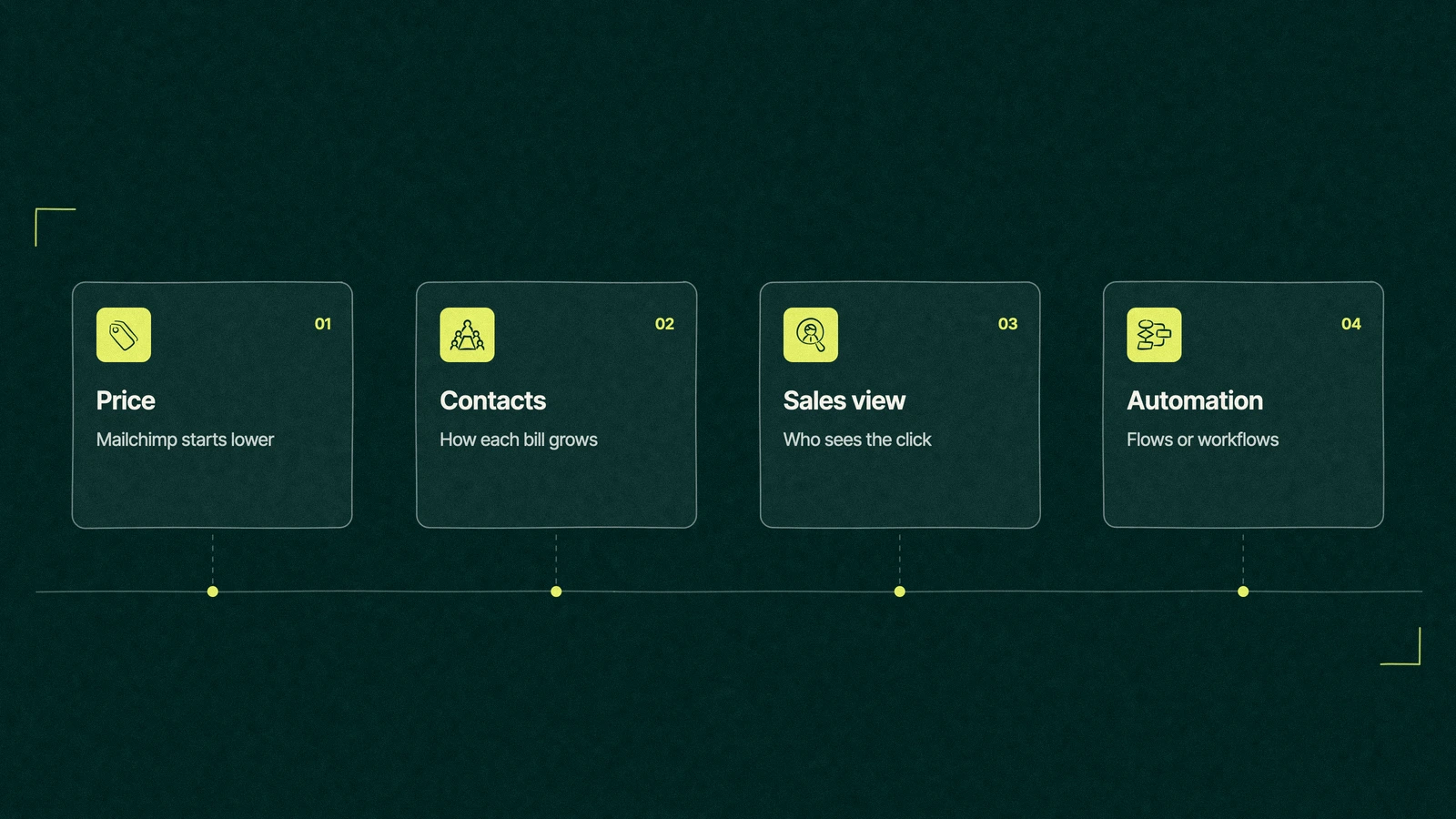
HubSpot vs Mailchimp shown as four cards for price, contacts, sales visibility and automation

Is HubSpot better than Mailchimp?

HubSpot is better for B2B teams where sales needs to see what marketing sent, because email, contacts and deals sit on one record. Mailchimp is cheaper and quicker for teams that mostly send newsletters and sell online or through one owner. What is better, Mailchimp or HubSpot, depends on who has to act on a click.

We're a HubSpot partner, so weigh this page knowing that. Mailchimp is a good email tool, and for plenty of companies it's the right one to keep.

An email tool with a CRM, or a CRM that sends email

Mailchimp was built to send email and grew audience tools around it, with tags, segments and contact profiles. It's very good at the newsletter, the shop promotion and the automated welcome, and it keeps the price low by staying close to that job.

HubSpot puts the CRM underneath and the email on top. A contact's opens and clicks sit next to the company, the open deal, the last call and the rep who owns the account.

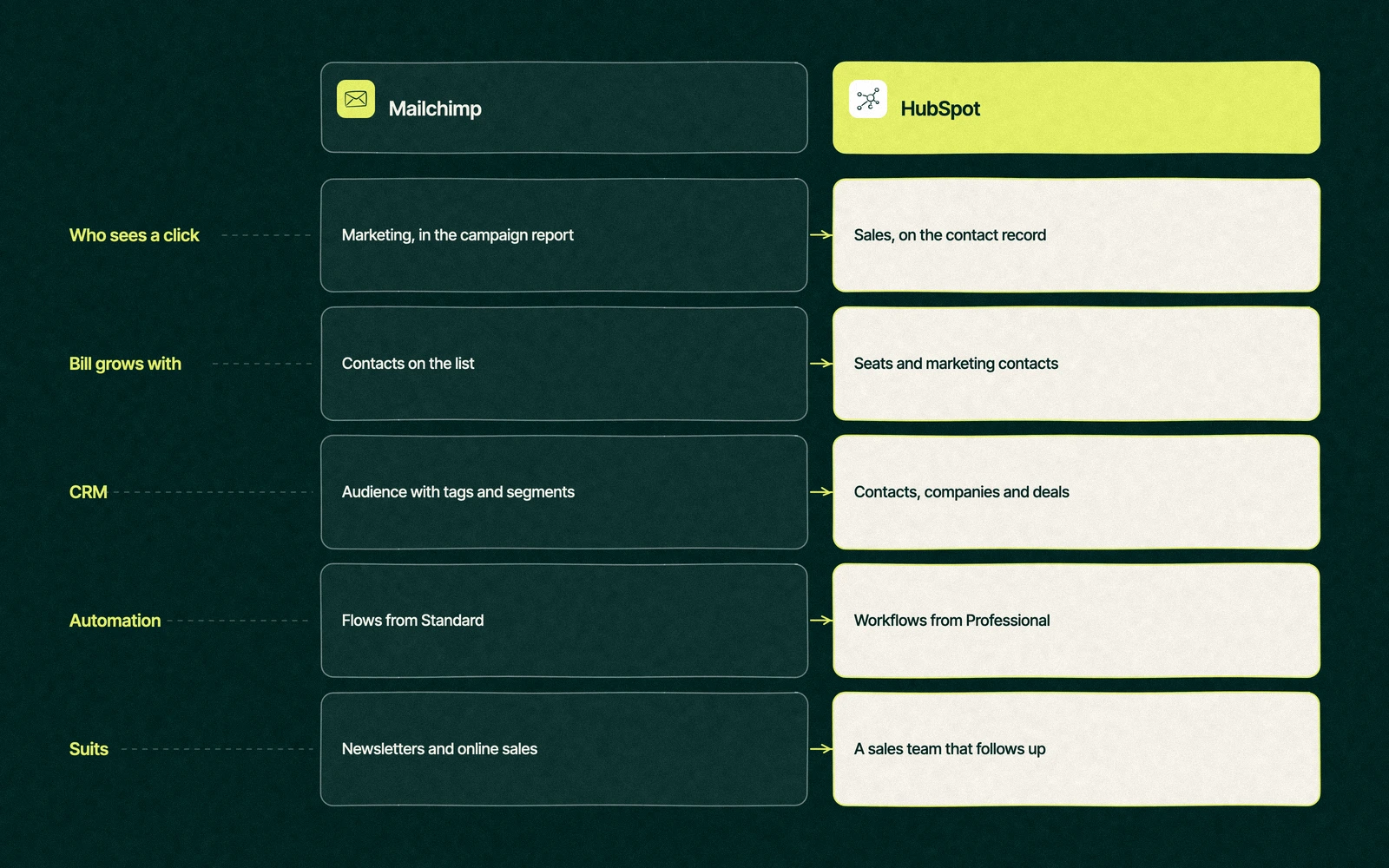
HubSpot vs Mailchimp side by side on who sees a click, how the bill grows, the CRM, automation and the team each one suits

So the Mailchimp vs HubSpot question is less about the editor, which is pleasant in both, and more about where the click goes next. In Mailchimp it lands in a campaign report that marketing reads. In HubSpot it lands on the contact, where a rep can see it the same morning.

For a company whose buyers order online, that difference barely matters. For a supplier whose reps close the sale on the phone, it's the whole point of the software.

How does HubSpot vs Mailchimp pricing compare?

Mailchimp starts cheaper at every step, and the gap widens as soon as HubSpot's automation enters the picture. These are list prices from Mailchimp's pricing page and HubSpot's Marketing Hub pricing, opened on November 16, 2026, in US dollars.

HubSpotMailchimp
Free planUp to 2 users, 2,000 sends a month, HubSpot logo on emails250 contacts, 500 sends a month (250 a day), 1 user
Entry planStarter at $20 per seat monthly, with 1,000 marketing contactsEssentials, listed at $13 a month for the first 12 months at up to 500 contacts, 3 users
Mid planMarketing Hub Professional at $890 monthly, which covers 3 seats and a 2,000 contact tier, plus $3,000 onboardingStandard, listed at $20 a month for the first 12 months at up to 500 contacts, 5 users
Top planEnterprise, starting at $3,600 monthlyPremium, listed at $350 a month for the first 12 months, unlimited users
Monthly sends5, 10 or 20 times the contact tier10, 12 or 15 times the contact count
CRM and sales toolsFree CRM with companies, deals and a pipeline, sales tools in Sales HubAudience records with tags and segments, no deal pipeline
AutomationSimple email workflows on Starter, full workflows from ProfessionalFlows of up to 4 steps on Essentials, up to 200 flows on Standard
A/B testingProfessional and EnterpriseMultivariate and A/B testing listed on Premium
Best forTeams whose reps follow up on what marketing sendsTeams whose email is the sale, or close to it

Read the two bills differently. Mailchimp's price climbs with the number of contacts on your list, and HubSpot's climbs with seats and with the contacts you mark as marketing contacts, while the rest of the database stays free. How that adds up over a year is in our HubSpot cost guide.

Prices on both pages move often, and Mailchimp's are shown as 12-month figures, so check both before you sign anything.

Trade You.

Your email for great content delivered to your inbox. Regularly. Unless we forget. Or get busy. But we'll try.

Thank you! Your submission has been received!
Oops! Something went wrong while submitting the form.

When Mailchimp is enough

Plenty of growing companies keep Mailchimp for years and never miss HubSpot. The pattern is easy to spot.

  • Email is the sale. Buyers click through and order online, so no rep needs to phone them afterwards.
  • One person owns every customer. The founder reads the click report and makes the calls, so the report already reaches the right desk.
  • The list is the main asset. You care about subscribers, segments and newsletters, and there's no pipeline of quotes to track.
  • The budget is tight. Free and entry plans cover the work, and the money is better spent on what goes in the newsletter.

If all four describe you, stay put and spend the difference on better content. A CRM you don't need is a very tidy way to lose a budget.

When HubSpot pays for itself

The HubSpot vs Mailchimp math changes when the people who close the sale aren't the people who send the email. At that point every click is a lead, and every lead that waits a week is a lead someone else answers.

It also pays when the business starts asking questions Mailchimp can't answer on its own, such as which campaign produced the deals that closed this quarter or which accounts went quiet after their last order. Those answers need email activity and deals in the same place, which is the job HubSpot was built around.

The trigger is rarely list size. A supplier with 3,000 contacts and two reps gains more from HubSpot than a shop with 30,000 subscribers and no sales team, which is worth remembering when someone suggests switching because the list got big. Before you move, read our guide to setting up HubSpot email marketing so the domain and lists are ready on day one.

Can you use Mailchimp with HubSpot?

You can, and for many teams it's the sensible first step. HubSpot's own Mailchimp Campaign Sync app sends HubSpot contacts to Mailchimp lists and logs Mailchimp sends, opens, clicks and bounces on matching HubSpot contacts, so a rep sees the click on the record.

The listing is honest about its limits. On November 16, 2026 it showed 32K installs and a rating of 2.9 from 132 reviews, and it names Mailchimp's Free, Essentials and Standard plans as the compatible ones.

That middle path suits a team that loves its Mailchimp templates and only needs sales to see the activity. It stops being enough once you want the email itself to react to what a contact does in the CRM, which is where two systems start arguing about who owns the contact.

If you're still comparing CRMs more widely, our roundup of CRMs that compete with HubSpot covers Zoho, Pipedrive and the rest, and our explainer on what HubSpot does beyond email covers the platform itself.

Back at the loading dock

The co-owner settles HubSpot vs Mailchimp by not choosing yet. He sets up HubSpot's free CRM for himself and the two reps, connects Mailchimp Campaign Sync and keeps sending the newsletter from the editor his team already knows.

The next issue features a dough sheeter, and by mid-morning a rep sees the click on a café owner's record, next to the notes from her last order. He calls her before noon and books a demo at her shop for the following week.

Six months later the reps ask for automatic follow-up emails, and that's when the newsletter moves to HubSpot too. The corkboard now holds the forklift rota, the 2019 recall notice and no paper from marketing at all.

How do you move from Mailchimp to HubSpot?

Switching from Mailchimp to HubSpot is a small migration, and it still deserves a plan. These six steps keep your sender reputation and your subscribers' choices intact.

  1. Authenticate the sending domain in HubSpot first. Add the DKIM, SPF and DMARC records before you import anyone, so the first send goes out under your own name.
  2. Export every audience with its consent fields. Bring unsubscribed and cleaned contacts too, marked as such, so no one who left gets emailed again.
  3. Map tags and groups to HubSpot properties. Decide which Mailchimp tags become lists, which become properties and which retire.
  4. Choose your marketing contacts. Only people you'll email need that status, and the rest can stay non-marketing at no charge.
  5. Rebuild automations by hand. Flows don't transfer between tools, so list each one you rely on and recreate it as a HubSpot workflow.
  6. Send to your most engaged subscribers first. A new sending setup earns trust gradually, so widen the audience over a few weeks.

The same thinking applies to any move between systems, and our guide to CRM data migration covers the parts that aren't email.

When you'd rather hand the move to someone, our Mailchimp to HubSpot migration help covers the import, the consent fields and the rebuilt flows, and our email automation team writes the workflows that replace them. Like all our HubSpot work, it's priced as one fixed fee that you approve on paper first, and the HubSpot partner team will also say so when Mailchimp is still the better fit.

Share last month's click report with us. We'll show you what your reps could have done with it.

“

The first call felt like talking to someone who already understood our business. We didn’t have to explain the basics. They showed up with questions that mattered.

James L.

Director of Growth, HR tech

Client

FAQ

Frequently asked questions

Is Mailchimp cheaper than HubSpot?

+

Mailchimp usually costs less, especially once automation matters. Mailchimp listed Standard at $20 a month in November 2026 for up to 500 contacts, flows included, while HubSpot's full workflows start with Marketing Hub Professional at $890 a month plus a $3,000 onboarding fee. HubSpot's free CRM and Starter plans narrow the gap for simple newsletters.

Can you use Mailchimp with HubSpot?

+

Through Mailchimp Campaign Sync, an app HubSpot built, you can push HubSpot contacts into Mailchimp lists and log Mailchimp sends, opens, clicks and bounces on matching HubSpot contacts. Reps then see email activity on the record without the newsletter moving. The marketplace listing names Mailchimp's Free, Essentials and Standard plans as compatible, so check yours before installing.

How hard is it to move from Mailchimp to HubSpot?

+

Moving the contacts takes an afternoon, and the care goes into everything around them. Authenticate the domain first, import unsubscribed contacts with their status, map tags to properties and pick which contacts you'll market to. Mailchimp flows have to be rebuilt as HubSpot workflows, so list them before you start and budget the most time there.

HubSpot vs Mailchimp, which is better for B2B?

+

For B2B companies with sales reps, HubSpot is usually the better long-term home, because the click and the deal sit on one record. Mailchimp fits B2B teams where one owner handles every account, or where email mostly announces products to existing customers. A middle path is the free HubSpot CRM with Mailchimp Campaign Sync.

Who can migrate Mailchimp to HubSpot for us?

+

Your own marketer can handle a small list with HubSpot's import tool and a careful checklist. Larger lists, years of consent history or many automated flows are worth handing to a HubSpot Solutions Partner. As a Certified HubSpot Solutions Partner, Leapyn runs these moves for B2B teams and tells you plainly when Mailchimp should stay.



Leapyn frog mark for the Leapyn team, authors of the B2B marketing blog

Written by

The Leapyn team

Senior marketers who run strategy, creative and demand gen for B2B companies. We write about what’s working for our clients right now.

More from this author →

If you like us here, you'll love us on LinkedIn.

Stay updated

Keep reading

Related articles