Webflow pricing, the site and Workspace plans explained and how to pick yours
What each Webflow site plan and Workspace plan costs, what changed in 2026, and a worked example that turns pages, CMS items, editors and traffic into one monthly number.
Website development
The Leapyn team
November 28, 2026
10 min read
In this post
toc
The plugin update that broke Renee Okafor's project gallery landed three weeks before a city parks department wanted a portfolio link in its request for proposals, which is how Webflow pricing became her evening reading. Her 14-person studio designs parks, plazas and school grounds, and overnight every project page turned into a grey box with a broken thumbnail.
A designer friend who builds in Webflow told her to just move. So Renee opened the pricing page one evening and found two sets of plans with separate price toggles, plus a CMS item count she had no way to judge.
She came within one click of a Growth Workspace plan at $49 a month, mostly because the word unlimited sat next to it and her studio has two people who edit the site. Her partner, who signs off on every software charge, asked what the $49 was for, and Renee couldn't say.
What stopped her was a list of five things her website does, which pointed to a different plan and a smaller number.
What is Webflow pricing, and why are there two sets of plans?
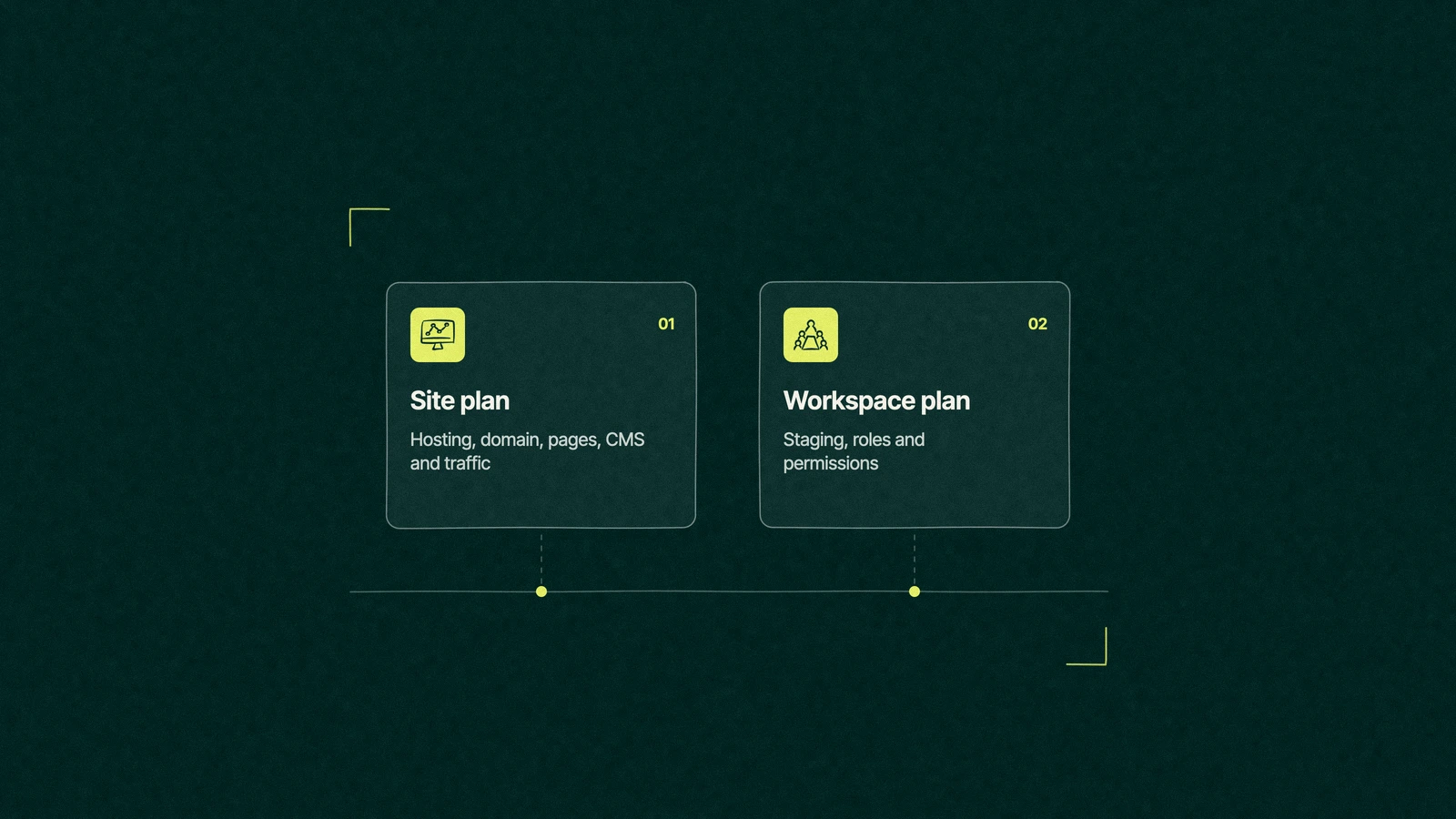
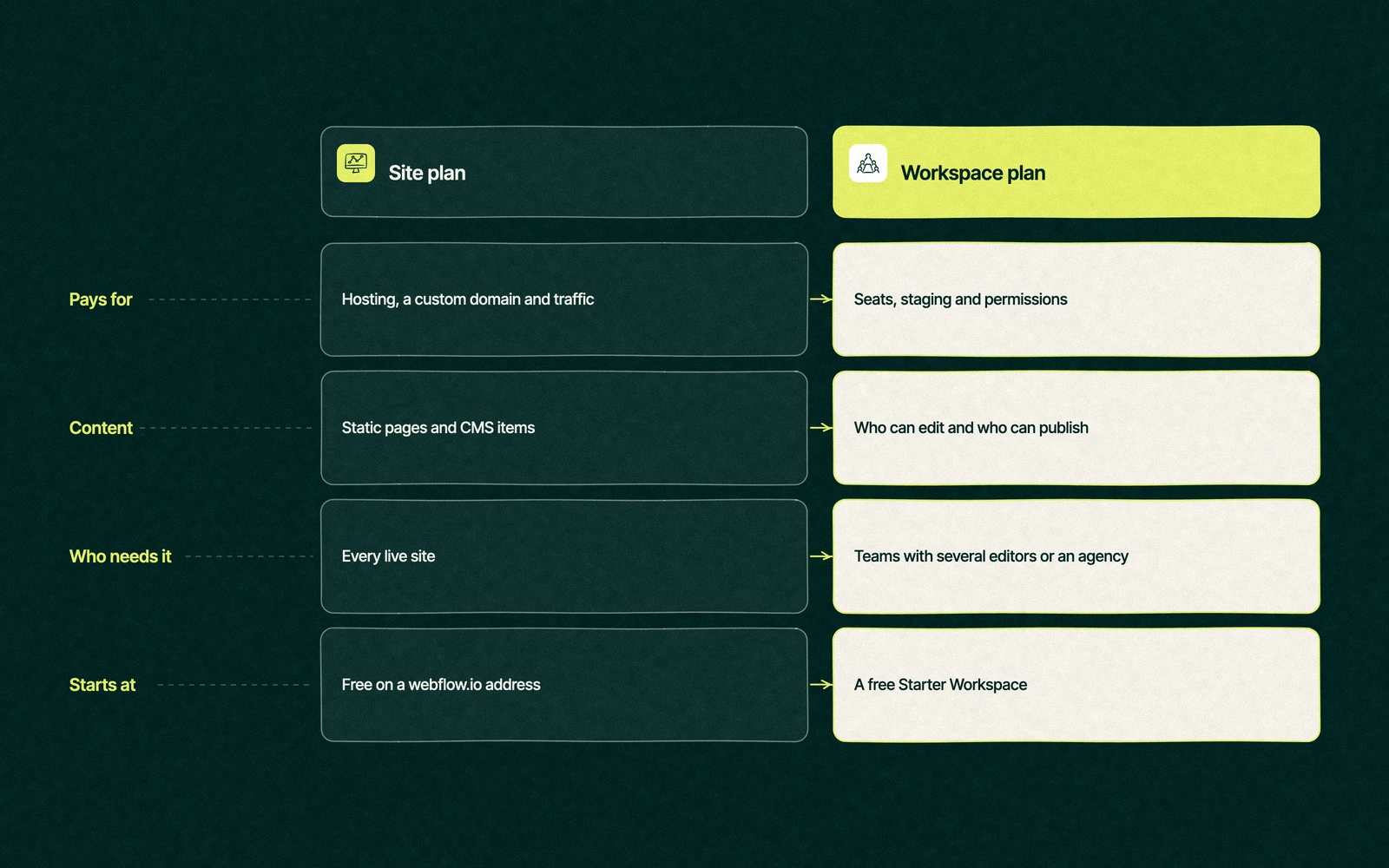
Webflow pricing has two layers. A Site plan pays for one website's hosting, custom domain, pages and CMS, and runs from free to $25 a month billed yearly. A Workspace plan pays for the place your team builds in, with staging sites and collaboration tools, and the free Starter Workspace covers most single-site businesses.
Every Webflow site lives inside a Workspace, which is why both price tables sit on the same page. The Webflow help article on Workspace and Site plans puts it plainly, with Site plans working at the level of one website and Workspace plans affecting every site in the Workspace.
The confusing part is that both tables use the word Starter, both have a monthly and yearly toggle, and both list features that sound useful. A business that runs one website and edits it in-house almost always needs one paid Site plan, and often nothing else.
Webflow site plans, what each one costs and what it holds
These are list prices from the Webflow pricing page, read in both its yearly and monthly views on 27 November 2026. Prices are in US dollars, per site, before tax.
Site plan
Billed yearly
Billed monthly
CMS items
Static pages
Traffic included
Fits
Starter
Free
Free
50
2
1 GB
Trying Webflow on a webflow.io address
Basic
$15 a month
$25 a month
None
300
10 GB
A brochure site with no blog or portfolio to update
Premium
$25 a month
$39 a month
20,000
300
50 GB, with add-ons up to 2.5 TB
Sites with a blog, portfolio, listings or case studies
Team
$2,500 a month, annual contract
Not offered
20,000, more for a fee
500
Up to 30 TB a year
Teams that need publishing workflows and 10 seats in one bundle
Basic includes unlimited form submissions and a custom domain, while Premium adds the CMS, site search, form file uploads and code components. Ecommerce has its own plans, from $29 a month billed yearly for 500 products to $212 for 15,000.
The monthly toggle is the one to check before you buy. Yearly billing saves $10 to $14 a month on the two plans most businesses pick, and the cancellation answer in Webflow's FAQ says you still pay the rest of the term you signed up for.
Webflow Workspace plans, and why most single sites can skip them
The Workspace table is where Renee nearly spent money she didn't need to. Starter is free, Core is $19 a month billed yearly or $28 monthly, and Growth is $49 yearly or $60 monthly, with Freelancer and Agency versions for people who build sites for clients.
A paid Workspace adds more free staging sites, code export, custom code on staged sites, and team controls such as site-level roles and publishing permissions on Growth. Those matter to a design team juggling ten unlaunched sites, and very little to a studio that runs one published website.
The detail that saved Renee $49 a month was in the help article. You don't need to upgrade from the Starter Workspace to buy seats, so a second editor costs the price of one seat instead of a whole plan.
Full seat, $39 a month billed yearly or $45 monthly. For someone who designs whole pages or manages settings. The Workspace owner gets one included.
Limited seat, $15 a month billed yearly or $19 monthly. Webflow describes it as editing content or building pages with components, which covers someone who adds projects and fixes typos.
Free seat. For reviewers and commenters who never publish.
Renee kept the free Workspace, took the full seat that comes with it and added one limited seat for Marisol, the office manager who uploads project photos. Her partner asked the same question about the $15, and this time she had an answer.
Webflow CMS items, and how to size your site before you pay
A CMS item is one entry in a collection, such as one blog post, one team bio or one project. Premium includes 20,000 items in up to 40 collections, which sounds like a number from another planet until you count your own.
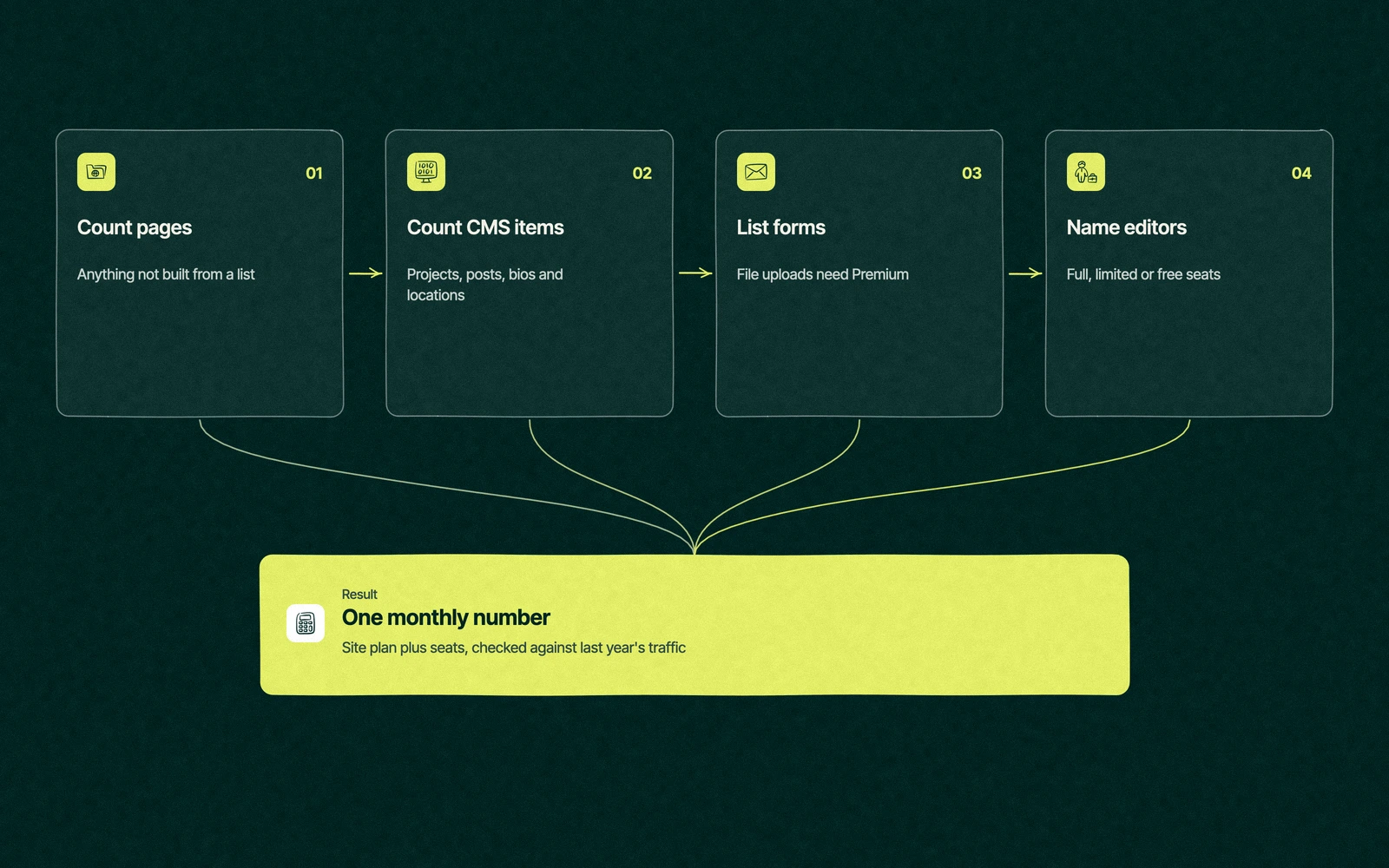
Renee's turn came when she stopped reading features and wrote down what her site does. These five steps take about an hour, and they work for any business moving to Webflow.
Count the static pages. Home, about, services, contact and anything else that isn't generated from a list. Renee had 11, far under Basic's 300.
Count every repeating entry. Projects, posts, bios, locations and testimonials all become CMS items. Renee had about 140 projects, 14 bios and 30 news posts, so roughly 184 items, which rules out Basic and fits Premium with a huge margin.
List your forms. One contact form fits every paid plan, since Basic and Premium both allow unlimited submissions. Needing file uploads, such as resumes or drawings, points to Premium.
Name your editors. The owner's full seat is included. Each extra person who edits content is a limited seat, and each person who designs pages is a full seat.
Check your traffic. Pull the last 12 months of monthly data transfer from your current host. When Webflow moved Business sites to Premium, it checked their use over the past two billing months, so look at monthly numbers and skip the add-ons if you've never come close to 50 GB.
Her total came to $25 for Premium plus $15 for one limited seat, so $40 a month billed yearly. That's $480 a year, less than the Growth Workspace she almost bought, which on its own would still have left her without a Site plan.
Webflow pricing in 2026, what changed and who it hits
If a renewal notice surprised you this year, it's the change Webflow announced on 13 May 2026 in its post We're updating our pricing. The CMS and Business plans merged into Premium, Basic rose to $15 yearly and $25 monthly, and the Team plan arrived.
The Webflow help article on the May 2026 pricing update lists who moved when. New purchases changed on 13 May, most existing sites on renewal from 29 June, and sites in Freelancer or Agency Workspaces or on legacy pricing from 2022 or earlier on renewal from 16 November.
The winners were CMS plan sites, which gained 18,000 items at a higher price, and the losers were busy Business plan sites, whose included traffic fell from 100 GB to 50 GB. Webflow's own words were that some customers will see a price increase, some a decrease and some no change at all.
Webflow hosting traffic, add-ons and the costs outside the plan
Webflow hosting is sold by gigabytes of traffic, never by visitors, so ignore any guide that converts one to the other for you. A page heavy with project photos uses far more than a page of text, which is why a portfolio site should check its old host's numbers before it picks a tier.
Extra traffic on Premium starts at 50 GB for $20 a month billed yearly or $30 monthly, and the largest add-on brings a site to 2.5 TB. The other add-ons on the pricing page are site analytics from $9 a month, translation from $9 a month, and A/B testing and personalization from $299 a month.
The costs that never show up in Webflow pricing are the ones people forget. Your domain, a font license, any third-party form or booking tool, and the hours someone spends moving 140 projects across all belong in the budget.
Is Webflow worth it for small business sites?
It's worth it when the site has content that changes and the people changing it aren't developers. A studio, a clinic, a law firm or a builder with a portfolio gets hosting and a visual editor in one bill, and nobody has to update a plugin again.
Webflow for small business makes less sense in three situations, and it's better to know them before you migrate.
You need a full online store with thousands of products and complex shipping, where a dedicated ecommerce platform may fit better.
Nobody on your team will touch the site after launch, so you'd pay for an editor nobody uses.
Your current WordPress site works, loads fast and gets updated without drama, so the move would cost more than it saves.
For Renee the math was easy. A broken gallery three weeks before a public RFP had already cost her more in stress than a year of Premium.
When hiring a Webflow agency or designer is worth it
You can build a Webflow site yourself, and plenty of owners do. A Webflow agency or freelance designer earns the fee when the job includes migrating a large CMS, keeping old URLs ranking in search, or building a design system your team can reuse.
Before you hire anyone, ask three plain questions. Which plan will my site need and why, who owns the Workspace and the Site plan after launch, and how will my team add a new entry without calling you.
Leapyn builds client sites in Webflow. Whoever you hire, the site and the billing should sit in an account your business owns.
Webflow pricing in practice, and a link in the RFP
Renee's designer friend moved the 140 projects across in a long weekend, and Marisol learned the editor in an afternoon. The new gallery went live nine days before the parks department's deadline.
The portfolio link went into the proposal on page two, under a photo of a pocket park the studio finished last spring. Renee clicked it once from her phone before she sent the file, and every project loaded.
Then she added the 141st entry herself, a riverside trail the studio had been waiting to show anyone, and set the yearly billing to renew on its own.
Our website development agency team plans, designs and builds websites, with SEO and AEO built in from the sitemap up. Send us your current site. We'll map it to the right Webflow plan and quote the build.
Trade You.
Your email for great content delivered to your inbox. Regularly. Unless we forget. Or get busy. But we'll try.
Thank you! Your submission has been received!
Oops! Something went wrong while submitting the form.
“
The first call felt like talking to someone who already understood our business. We didn’t have to explain the basics. They showed up with questions that mattered.
James L.
Director of Growth, HR tech
Client
FAQ
Frequently asked questions
How much is Webflow pricing per month?
+
Webflow's pricing page listed Basic at $15 a month billed yearly or $25 monthly on 27 November 2026, and Premium at $25 yearly or $39 monthly. Starter is free on a webflow.io address. The Team plan costs $2,500 a month on an annual contract. Seats, extra traffic and add-ons cost more, and taxes are added at checkout.
Do I need a Workspace plan and a Site plan?
+
Most single-site businesses need only a Site plan. The free Starter Workspace already holds unlimited paid sites, and Webflow's help center says you can buy extra seats without upgrading it. A paid Workspace makes sense for teams that stage many unlaunched sites, export code or need publishing permissions and site-level roles across several websites.
Is Webflow cheaper than WordPress?
+
It depends on what you count. A WordPress site needs its own hosting, and plugins and updates take money or someone's time. Webflow bundles hosting and the visual editor into one Site plan from $15 a month billed yearly. Compare a full year of each, including the hours spent fixing things, before deciding which one costs your business less.
Is Webflow fully free?
+
You can build on the free Starter plan for as long as you like, but it publishes only to a webflow.io address, with 2 static pages, 50 CMS items and 1 GB of traffic. A custom domain needs a paid Site plan. Most businesses treat Starter as a trial and upgrade the site when it's ready to launch.
What happens if my site goes over the CMS item limit?
+
Premium includes 20,000 CMS items and 40 collections, and Webflow removed CMS item add-ons in May 2026 because the new limit covers what they used to sell. The Team plan also lists 20,000 items, with more for a separate fee and 100 collections, and Enterprise limits are custom, so a site that outgrows Premium talks to Webflow's sales team.
Written by
The Leapyn team
Senior marketers who run strategy, creative and demand gen for B2B companies. We write about what’s working for our clients right now.