AI voiceover for business videos, a guide to choosing a voice that sounds human
Where AI narration holds up in training and explainer video, where a voice actor still wins, what the main tools cost and how to test a voice before customers hear it.
Content
The Leapyn team
November 28, 2026
10 min read
In this post
toc
Marcus Bell had never given AI voiceover a thought until a support ticket told him 31 of his 48 help videos were wrong. His company's construction scheduling software had shipped a release overnight that renamed the Lookahead tab to Schedule view and moved the export button, and the videos still showed the old screens.
His usual fix was Dana, the freelance voice actor who has narrated every one of those videos for four years, but she was booked solid on an audiobook for three weeks. The company's largest customer, a general contractor, was putting 400 field staff on the software on the first of the month, so Marcus tried an AI voice on one video that afternoon.
It went wrong in a very specific way. The voice read RFIs as riffs, split Lookahead into two words and sounded nothing like Dana, so the patched video had a stranger narrating its middle minute, and his support lead watched it once and asked whether they'd switched vendors.
Two weeks later all 31 videos were fixed and still sounded like Dana, which surprised the support lead and, eventually, Dana.
One link in this post is a partner link, so ElevenLabs may pay us if you sign up through it. We only list tools we've tested, and the commission never buys a better spot.
What is AI voiceover?
AI voiceover is narration made by software instead of a person at a microphone. You paste a script, pick or design a voice, and the tool returns an audio file you can lay under a video. The best tools handle pacing and emphasis well now, but they still need a human ear for names, numbers and tone.
The software learned from large amounts of recorded speech how people pace a sentence, where they pause and which word they lean on. You steer it with settings for speed, steadiness and style, and with the way you write the script, which matters more than any slider.
For a business it pays for itself on training, help and explainer videos, and on translated versions of footage you already shot. Those videos change often, get watched for information rather than charm, and cost a week and a studio fee every time someone has to re-record a line.
The brand ad, the founder's message and anything meant to move people still belong to a person.
AI voice generator for business, the three kinds and what each one does
An AI voice generator for business does one of three jobs. They sound alike in a demo, so it's worth knowing which one your project needs before you compare prices.
Text to speech. You paste a script and pick a voice from a library. It's the default for help videos, onboarding and explainers, and since there's no performer, the script carries the whole performance, so a sentence that reads fine on a page can sound stiff out loud.
Speech to speech. You record the line yourself, with your own timing and emphasis, and the tool swaps in a different voice. It's handy when your product expert explains a feature perfectly but recorded it on a laptop microphone next to a rattling air vent.
Voice cloning. The tool builds a custom voice from recordings of one person. Instant clones work from a short sample, while professional clones train on longer, cleaner audio and sound closer to the original. It's how a company keeps a familiar narrator, and it raises the biggest consent questions.
Most tools also offer voice design, where you describe a voice by age, accent and tone and the tool invents one that belongs to nobody, which sidesteps consent entirely.
ElevenLabs (partner link) does all three in one account. Murf builds in Canva and PowerPoint integrations for teams that make training in slides, and Adobe Firefly and Canva add voice to design tools your marketing team may already pay for.
Marcus needed the third kind, because no stock voice was ever going to sound like the other 17 videos.
Where AI voiceover for video sounds human, and where it trips
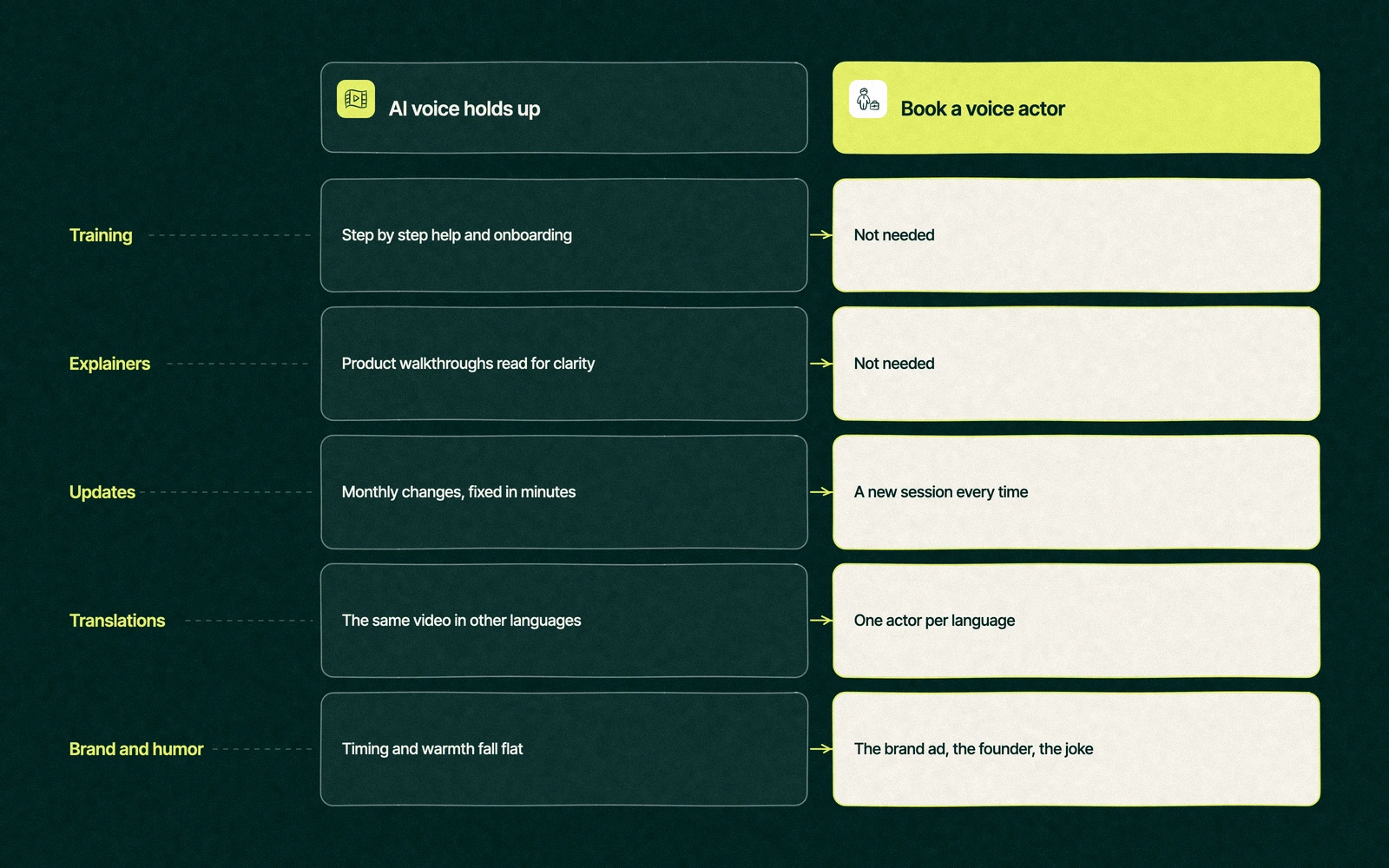
AI voiceover for video holds up best when the job is to inform. Step by step training, product walkthroughs, monthly feature updates and translated versions of existing videos all suit it, because viewers want clarity and a steady pace more than personality.
It trips when a script asks it to guess, and business scripts are full of words a model has rarely heard.
Product names and internal terms, like Lookahead, which it may split or stress wrongly. Respell them in a pronunciation list.
Acronyms your industry says as a word or spells out, like RFI. The model can't know which, so you have to tell it.
Numbers, codes, dates and units, which it may read the long way or the wrong way. Write them in the script the way a person would say them.
Jokes and dry asides, where the timing is the whole joke. Save humor for a human read, or cut it.
Long emotional reads, such as a founder's thank you or a story about a safety incident. Listeners hear the flatness even when they can't name it.
Marcus's first attempt hit the first two in a single sentence. Fixing those two kinds of error removes most of what makes AI narration sound like AI, long before you start comparing voices.
How to test an AI voiceover before your customers hear it
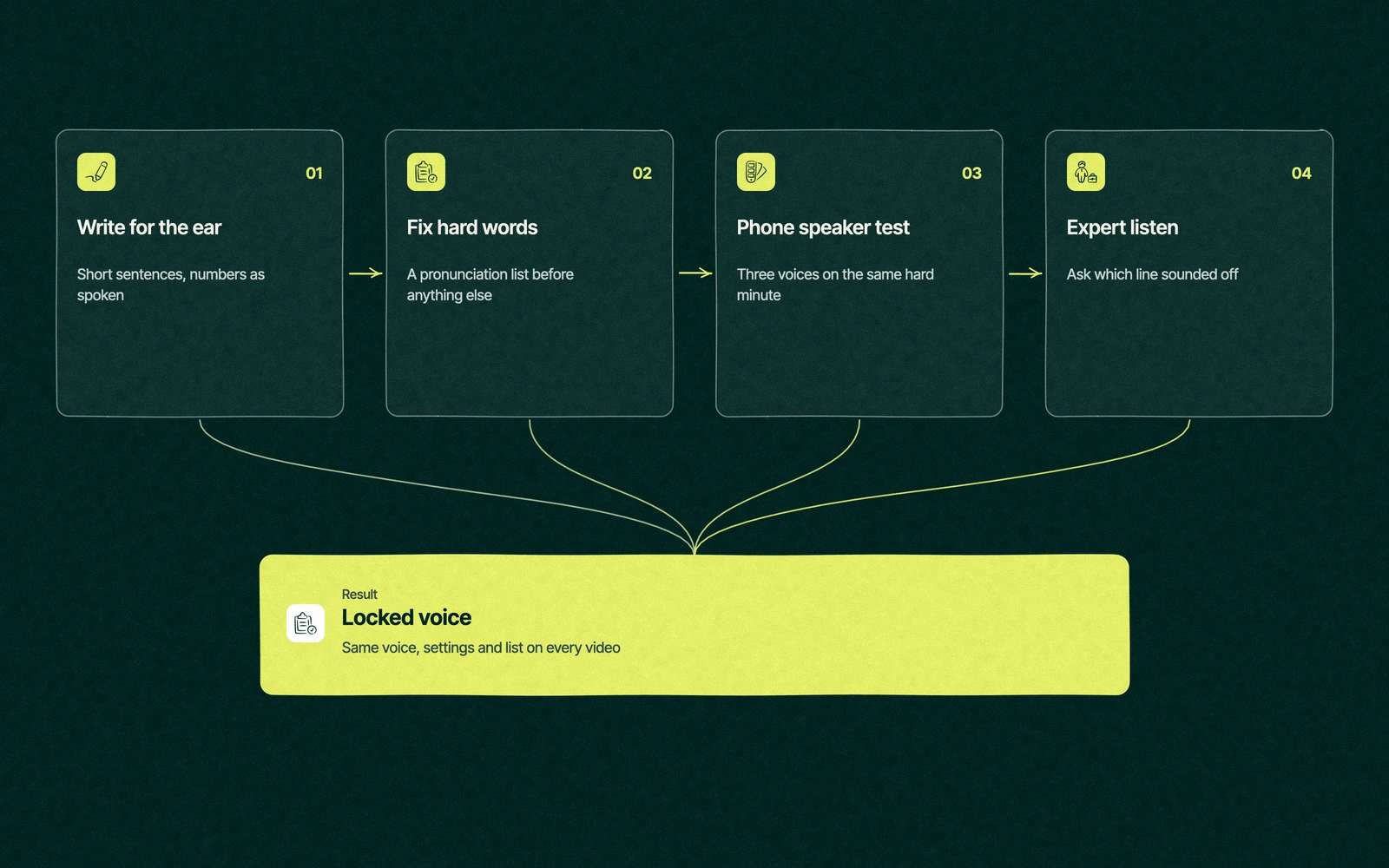
Demo scripts are written to flatter the model, so a voice picked from a demo page is a guess. These five checks take an afternoon and use your own script.
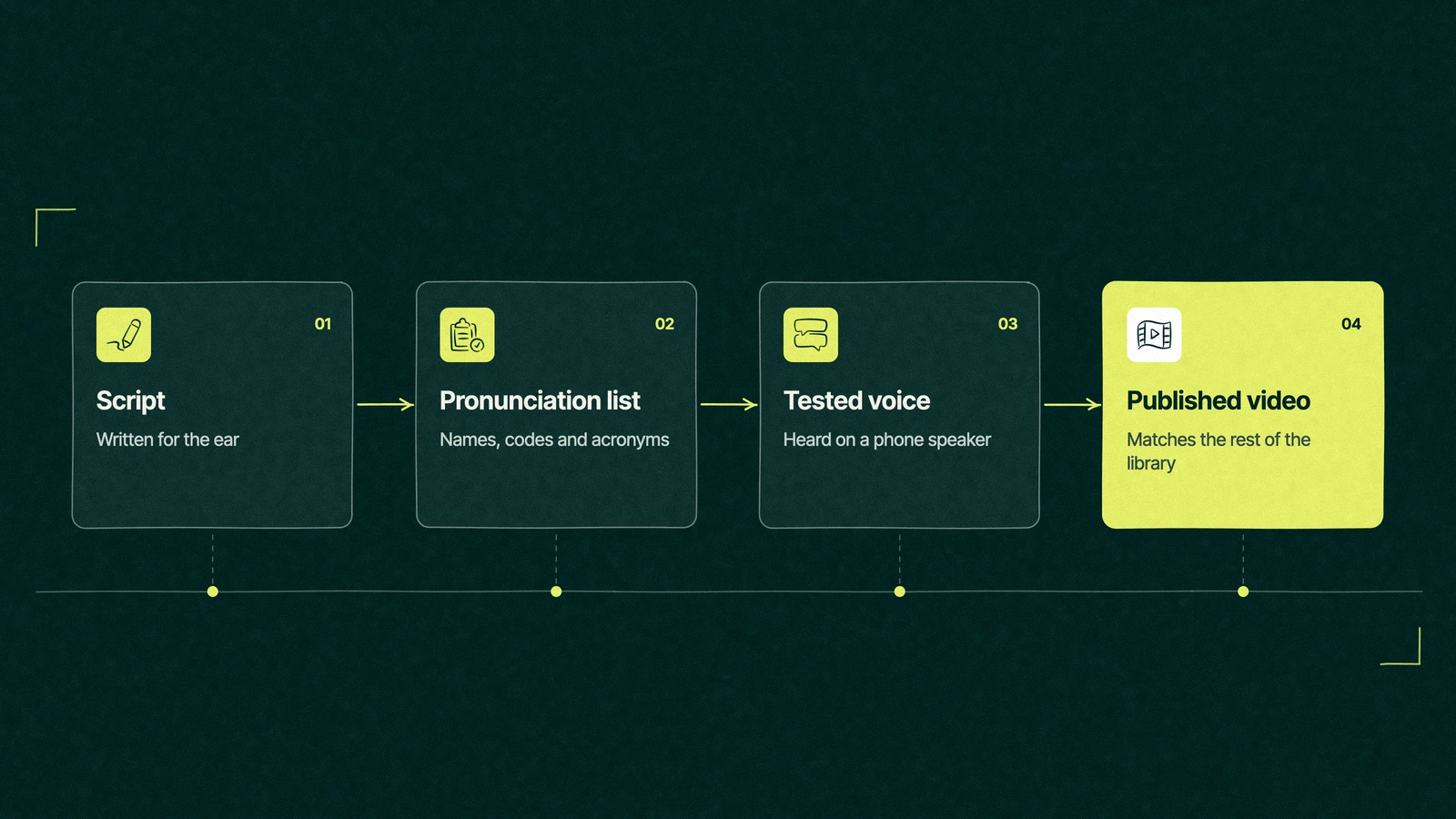
Write the script for the ear. Keep sentences under about twenty words, put one idea in each and write numbers the way people say them. If the screen shows R-290, the script says R two ninety.
Build a pronunciation list before you generate anything. Pull every product name, acronym and code into a list, generate each one on its own and respell the ones it gets wrong. Most tools let you save those fixes, so you make them once instead of on every video.
Audition three voices on the same minute of script. Use the hardest minute you have, with names and numbers in it, and play each version through a phone speaker, because that's how most of your viewers will hear it.
Play the winner for someone who knows the subject. A customer, a support rep or a technician will catch the wrong stress or the odd pause you stopped hearing on the tenth listen. Ask which line sounded off, not whether they liked it.
Lock the voice and keep the list. Save the voice, the settings and the pronunciation list with your scripts, and use all three on every video, so the next one matches the last.
Marcus's pronunciation list had eleven entries by the end of the first day, starting with RFI and Lookahead. For the expert listen he sent the patched export video to a superintendent at the pilot customer, who replied with a single note about the stress on submittal, and that became entry twelve.
ElevenLabs pricing, and what a business video plan costs
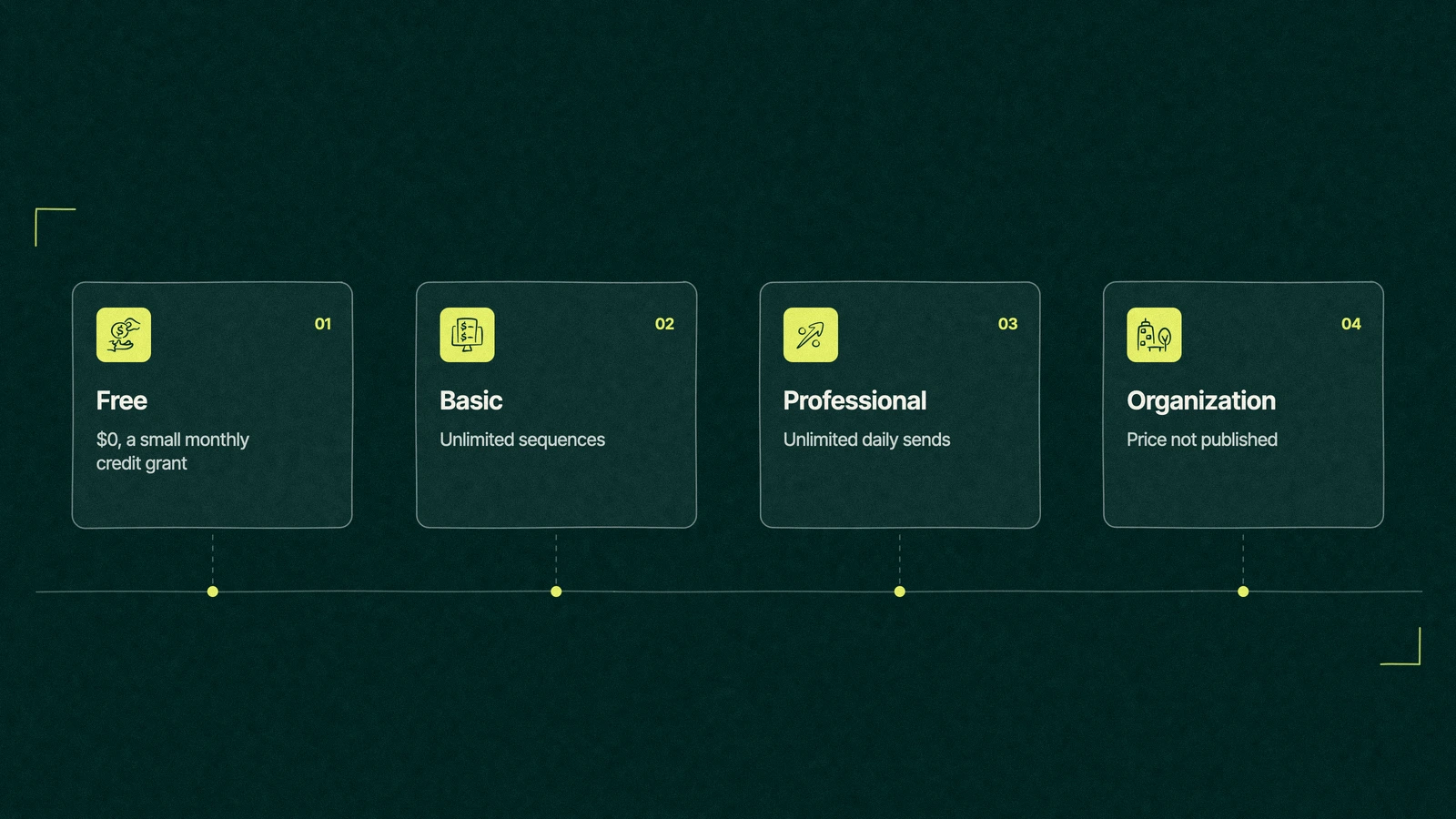
ElevenLabs pricing runs on monthly credits that work out to roughly a minute of speech per thousand, and the free plan has no commercial license, so anything a customer will see needs a paid plan. The prices below are list prices from the ElevenLabs and Murf pricing pages on 26 November 2026. ElevenLabs had a Black Friday discount running until 1 December, so check the page before you buy.
Tool and plan
List price
Voice included
Commercial use
Fits
ElevenLabs Free
$0
About 10 minutes a month
No
Testing voices on your hardest script
ElevenLabs Starter
$6 a month
About 30 minutes a month
Yes, plus instant voice cloning
A few short videos a month
ElevenLabs Creator
$22 a month
About 121 minutes a month
Yes, plus professional voice cloning
A help library with one narrator
ElevenLabs Pro
$99 a month
About 600 minutes a month
Yes
A project month or several languages
Murf Free
$0
10 minutes
No
Testing
Murf Creator
$19 a month, billed yearly
24 hours a year
Yes
Slide and training narration
Murf Business
$66 a month, billed yearly
96 hours a year
Yes, with emphasis and variability controls
Heavier use across a team
To size a plan for AI voiceover, multiply the number of videos by their length and the number of languages, then leave room for retakes and check how your plan counts regenerated lines.
Marcus's 31 videos ran about four minutes each, so the fix came to roughly 124 minutes before retakes. That's a little over Creator's monthly allowance, so a month on Pro covered the project with room to spare before he dropped back down.
ElevenLabs vs Murf on the plans a small team buys
Compare them on the same billing. On yearly plans they're nearly identical, with ElevenLabs Creator at $220 a year and Murf Creator at $228, each with about two hours of voice a month.
Choose by where your team already works. If training lives in slides, Murf's integrations save a step, and if you need cloning or several languages in one place, ElevenLabs offers instant cloning from its $6 plan and lists 74 languages.
Is ElevenLabs worth it, or should you book a voice actor?
An ElevenLabs review that only plays a demo voice won't answer this for you. The answer depends on how often your scripts change and how much the read itself has to carry.
It's worth it when you publish more than a couple of narrated videos a month, update scripts after every release or need the same video in other languages. A corrected line becomes a new file in minutes, and nobody has to wait for anyone's calendar.
Book a voice actor for the brand ad, the founder's message and anything meant to make someone laugh or tear up. Those pieces carry your name for years, and one session costs little next to a campaign that sounds slightly off.
Most teams end up doing both. A person records the pieces that sell and AI voiceover handles the pieces that change, which is the split Marcus landed on.
AI voice cloning, consent and disclosure rules
Cloning a voice without permission is where a handy tool turns into a legal problem. The ElevenLabs prohibited use policy even has a form for people to report their voice being used without consent, which tells you where the line sits.
Marcus called Dana before he cloned anything. Some voice actors license clones of their own voice, and she agreed on terms that fit on one page, covering the four things every voice license should spell out.
Where the voice can be used, such as help and training videos only, never ads
How long the license runs, and what happens to the voice when it ends
How the person is paid, whether per year, per video or per minute of audio
Who can generate audio with the voice, and the person's right to hear anything before it ships
Dana added the last line herself. Get any agreement like this in writing, and have a lawyer read it if the voice belongs to someone well known.
Disclosure matters too. YouTube requires creators to disclose realistic AI content that makes a person appear to say or do something they didn't. A cloned voice that puts words in someone's mouth is on that list, and when you're unsure, the AI disclosure setting in YouTube Studio takes ten seconds.
AI voiceover for training videos, and the next release
All 31 videos were live four days before the general contractor's go-live. Its field staff learned Schedule view from videos that matched their screens, and the support lead stopped forwarding tickets about the missing export button.
Dana finished her audiobook the following week and asked for a copy of the pronunciation list. It came back with two corrections and a note that her clone was welcome to the help videos as long as she kept the launches.
When the next release shipped a month later, Marcus changed nine lines across six videos and had them exported before the release notes went out. Then he booked Dana for the launch video, the one piece in the library that still needed a person in the room.
Our video marketing agency team scripts, voices and edits help, training and launch videos, with content development behind every script. Send us the script you're nervous about. We'll tell you which lines AI can carry and which ones a person should read.
Trade You.
Your email for great content delivered to your inbox. Regularly. Unless we forget. Or get busy. But we'll try.
Thank you! Your submission has been received!
Oops! Something went wrong while submitting the form.
“
The first call felt like talking to someone who already understood our business. We didn’t have to explain the basics. They showed up with questions that mattered.
James L.
Director of Growth, HR tech
Client
FAQ
Frequently asked questions
Is AI voiceover good enough for business videos?
+
For training, explainers, product updates and translated versions, yes, as long as someone checks names, numbers and acronyms before it ships. It still falls short on humor, long emotional reads and anything meant to sound like your founder speaking off the cuff. Test it on your hardest script first, since the easy lines will always sound fine and tell you nothing.
Can I use ElevenLabs voices for commercial videos?
+
Only on a paid plan. The ElevenLabs pricing page lists the commercial license from the Starter plan up, which had a $6 monthly list price on 26 November 2026, while the free plan is for trying voices. Murf works the same way, with no commercial rights on its free tier. Check the license terms again before a big launch, because plans change.
How much does ElevenLabs cost per month?
+
List prices on 26 November 2026 were $0 for Free, $6 for Starter, $22 for Creator, $99 for Pro, $299 for Scale and $990 for Business. Each plan includes monthly credits that work out to roughly 10, 30, 121, 600, 1,800 and 6,000 minutes of generated speech. Prices exclude tax, and seasonal sales come and go.
Is it legal to clone someone's voice with AI?
+
With clear written permission you're on solid ground. Without it you risk breaking the tool's use policy and possibly the law. Get written consent that says where the voice can be used, for how long and what happens if the person leaves. Laws on voice and likeness differ by state, so ask a lawyer before you clone anyone well known.
Do you have to disclose an AI voice on YouTube?
+
YouTube asks creators to disclose realistic AI content that makes a person appear to say or do something they didn't, alters footage of an event or place, or creates a realistic scene that never happened. If you're unsure whether a cloned voice counts, the safe habit is to switch on the AI disclosure in YouTube Studio when you upload.
Written by
The Leapyn team
Senior marketers who run strategy, creative and demand gen for B2B companies. We write about what’s working for our clients right now.