Marketing reporting tools compared, with a one-page CEO report template
Five marketing reporting tools compared on price and on how the report reaches a phone, plus a one-page template with the five numbers a CEO reads and what each one answers.
HubSpot
The Leapyn team
November 28, 2026
10 min read
In this post
toc
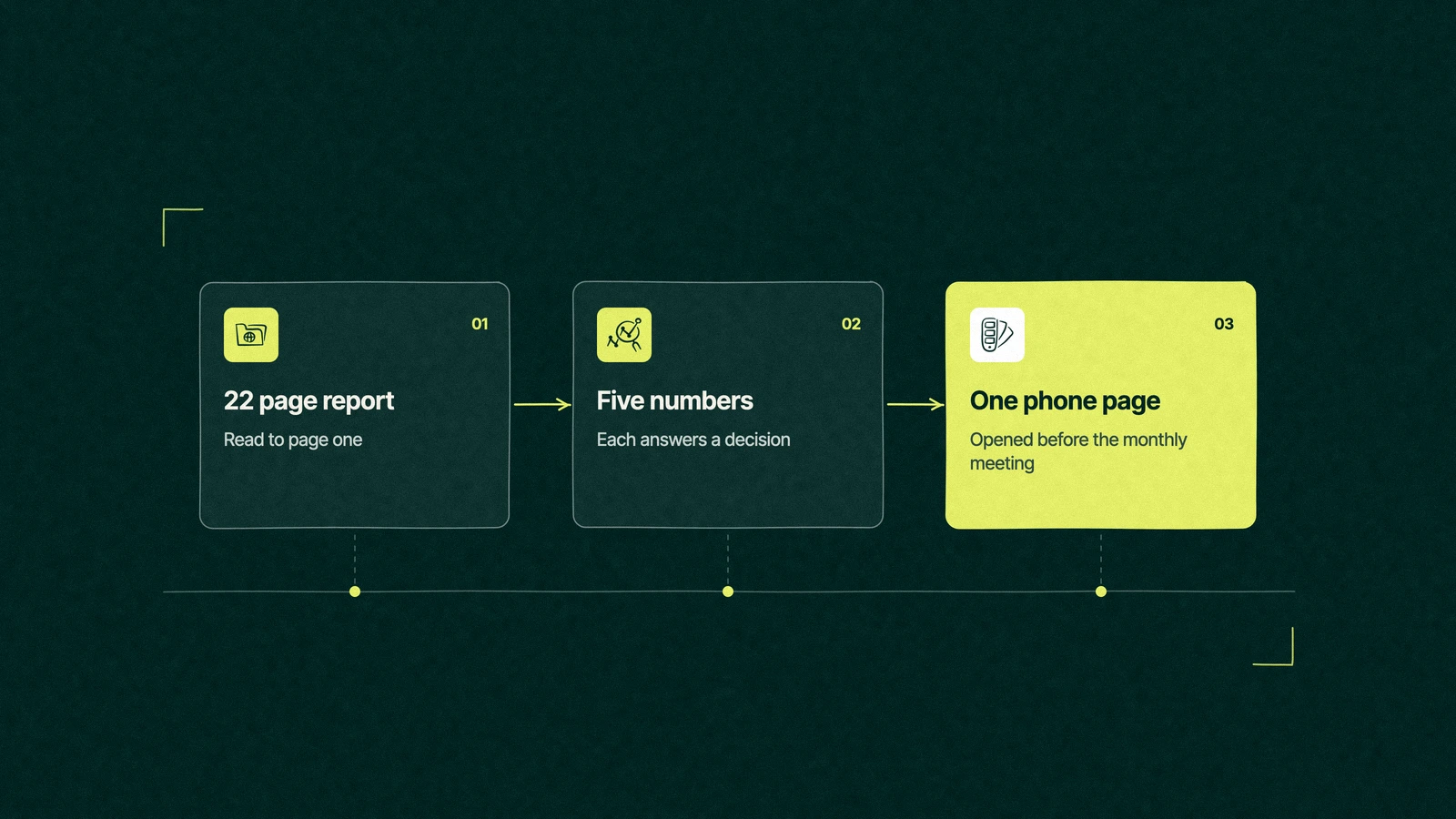
Gloria Fenn has built the monthly marketing report at a regional credit union for six years, and it now runs to 22 pages. She assembles it by hand from four marketing reporting tools and an export from the CRM, which takes most of three days, and every chart in it belongs to someone on her team of four.
The CEO who arrived in the spring read two editions and then told her, politely, that he reads page one. He asked for one page he'd open on his phone before the monthly meeting, because that meeting is where he decides which loan promotions get money next quarter and which ones quietly stop.
Gloria agreed on the spot and worried about it for the rest of the evening. Cutting 21 pages felt like cutting her team out of the story, starting with Theo, who spends half his month on the email program that fills page nine.
Three months later the CEO had forwarded her page to the chair of the credit union's board, which nobody on the marketing team saw coming, Theo least of all.
What are marketing reporting tools?
Marketing reporting tools connect to your ad accounts, website analytics, email platform and CRM, then turn those numbers into dashboards and reports that refresh on their own. The useful ones also deliver the result by scheduled email, shared link or app, so the person making decisions sees the number without logging in to hunt for it.
Most of them do three jobs. They collect the data, shape it into charts and send the finished page to someone, and they differ most on the first job and the last one, which is where buyers get surprised.
A tool with 90 integrations is no help if the CEO never opens the email it sends. A free tool can be the right answer when every number you need already lives in one place.
The hard part comes before any tool, in deciding which few numbers deserve a page at all.
Marketing reporting tools sorted by who reads the report
The roundups that rank for this search sort tools by feature count. Sorting them by the reader works better, because the reader decides whether the report gets opened at all.
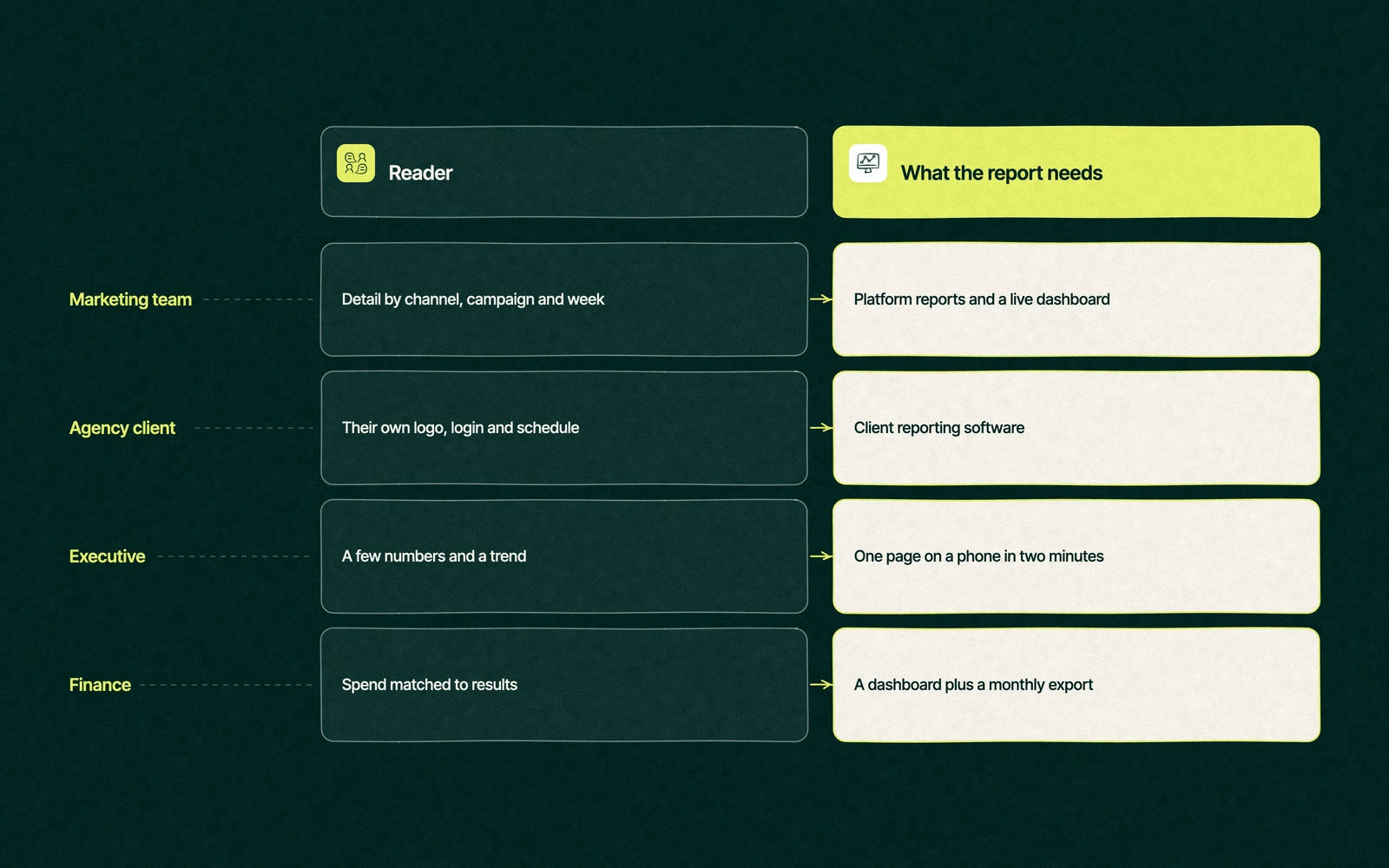
The marketing team wants detail by channel, campaign and week. The reports built into each platform, from the ad account to the email tool to the CRM, serve this reader well, and a separate tool adds little.
An agency's client gets the same report shape as every other client, with its own logo, its own login and a schedule. Client reporting software is built for this reader, and it usually prices per client.
An executive wants a handful of numbers, the trend and what to do about them, on a phone, in about two minutes. Almost any tool can serve this reader, as long as it delivers on a schedule and the page stays short.
Finance wants spend matched to results in a form it can check. A dashboard plus a monthly export usually keeps it happy.
Gloria's 22 pages were written for the first reader and sent to the third. The fix started with the page, and the choice of tool came second.
A one-page marketing dashboard template a CEO will open
Gloria started the rewrite with a blank page and the CEO's calendar, and wrote down the decisions he makes each month. There were three, where marketing money goes next, which loan products to push and whether the team needs more people or fewer projects.
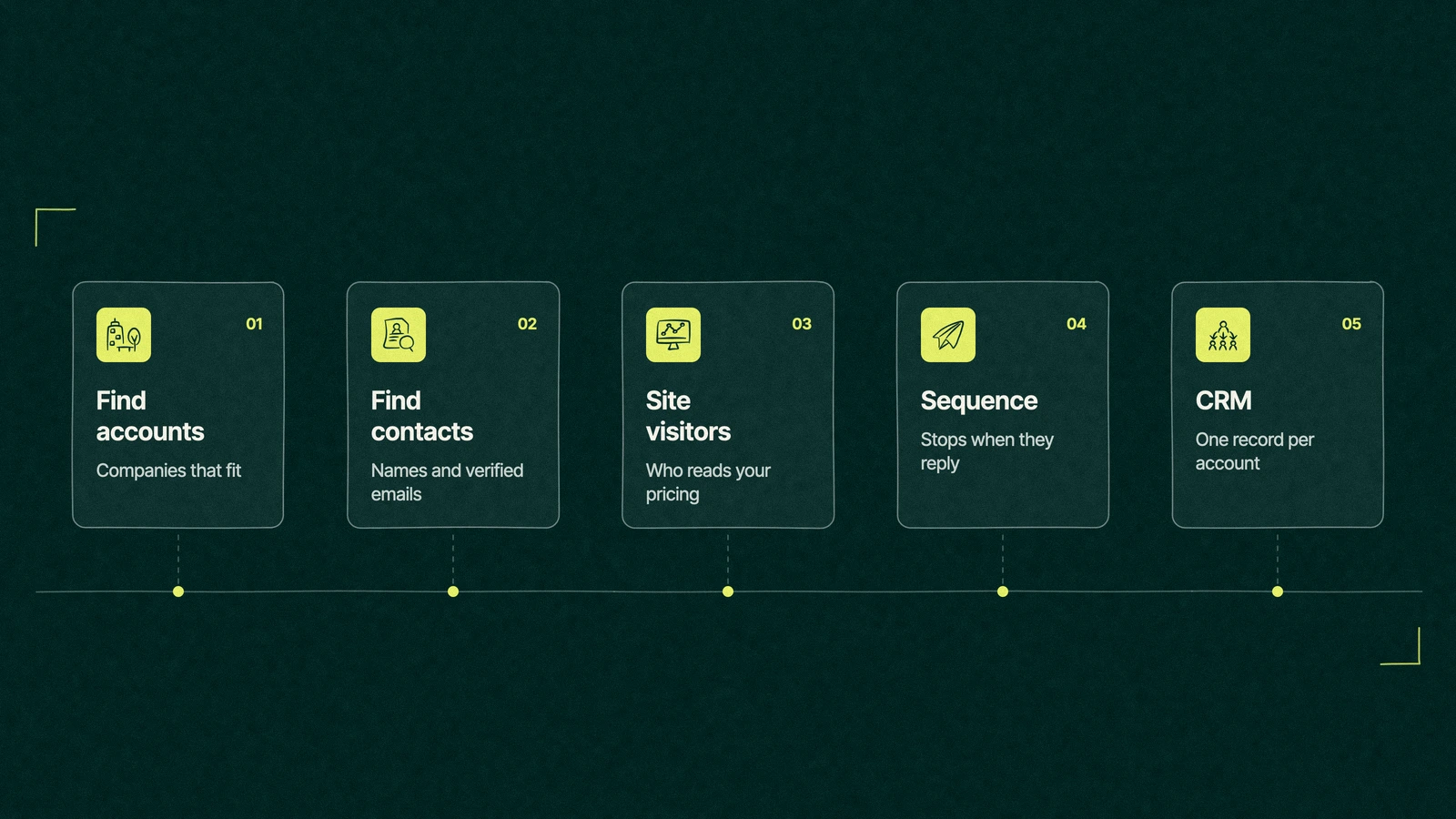
Every number on the page had to help with one of those decisions, or it moved to the appendix. These five survived, and they fit most businesses once you swap in your own words.
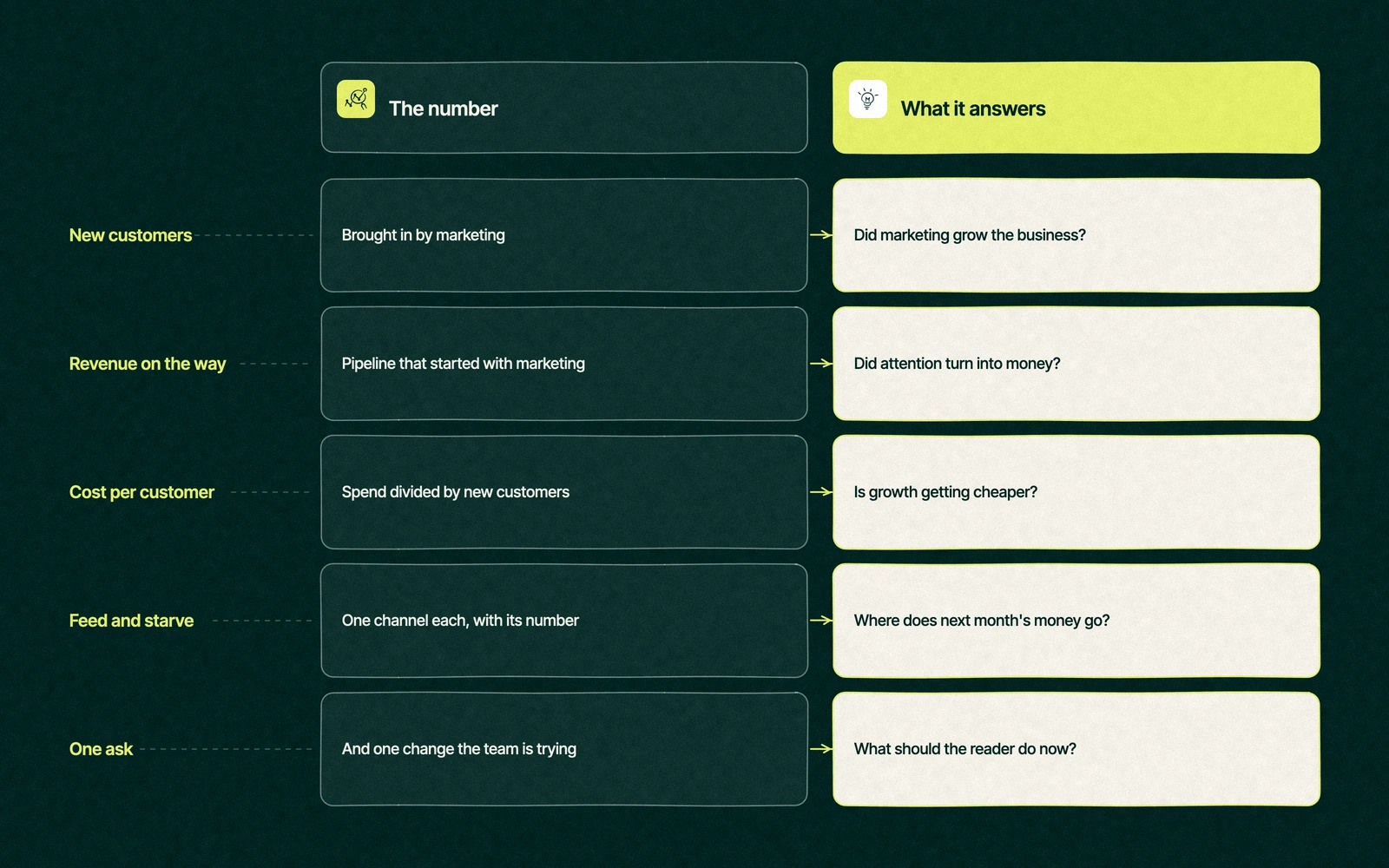
New customers marketing brought in. For Gloria, that's new members whose first visit came from a campaign. It answers whether marketing grew the business this month.
Revenue on the way. For her, loan applications that started with marketing, and how many of them funded. It answers whether the attention turned into money.
Cost per new customer. Marketing spend divided by the first number. It answers whether growth is getting cheaper or dearer.
The channel to feed and the channel to starve. One line each, with the number behind it. It answers where next month's money should go.
One change and one ask. What the team is trying next and what it needs from the reader. It answers what the CEO should do once he puts the phone down.
Each number shows this month, last month and the same month a year ago, with one plain sentence underneath that says what changed. Any sentence that starts with "this chart shows" gets deleted and rewritten.
Beside each number goes the name of the person who moved it. Theo's name sat under the funded loans line, because his rate reminder emails were where most of those applications started.
Marketing reporting tools compared on price and delivery
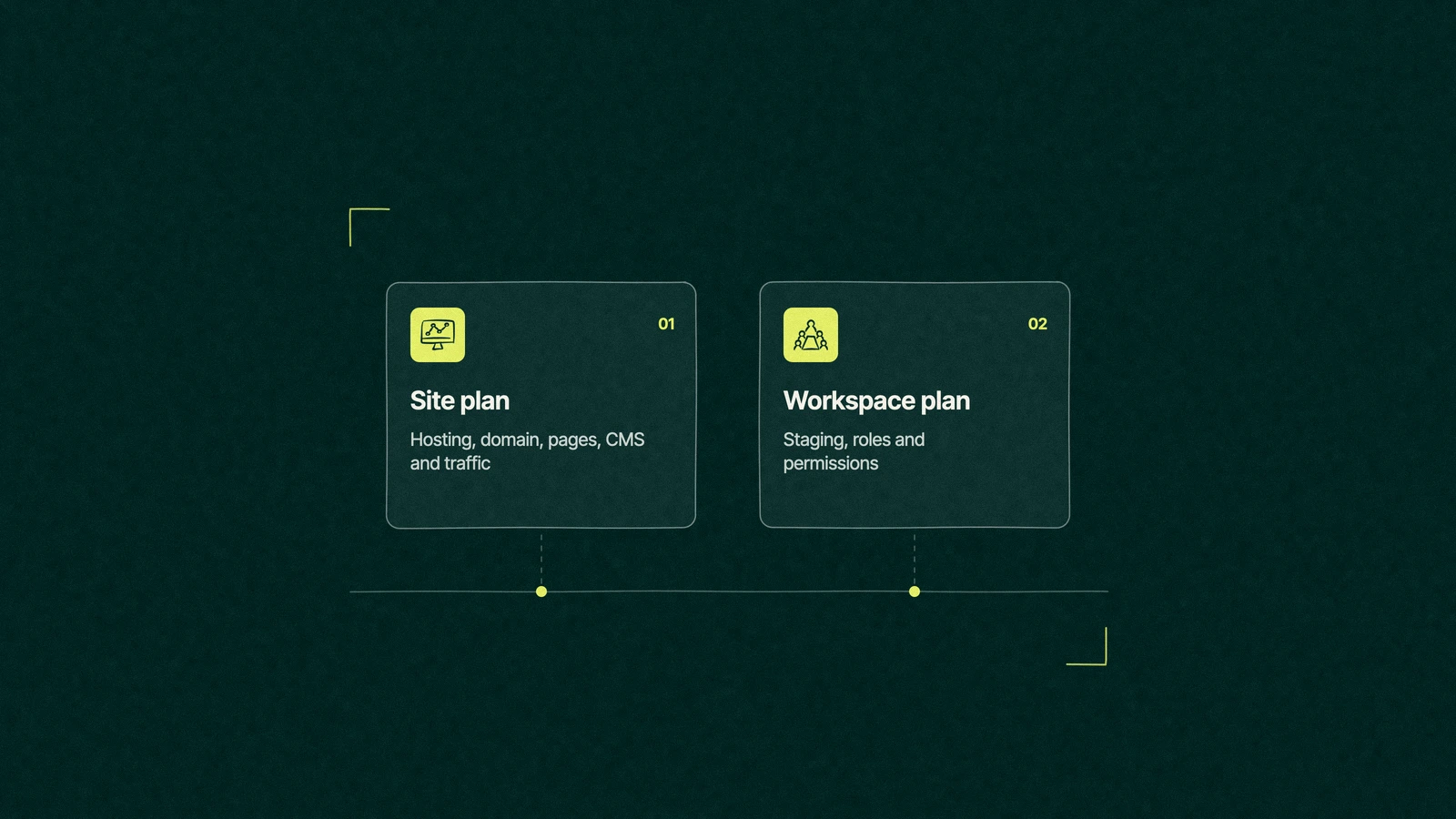
These five cover most teams. Prices are the list prices each vendor showed on 27 November 2026, and none of them includes the hours it takes to build the page you need.
Individual plan $44 a month for 3 dashboards, shown with a yearly billing saving
Delivery is the column most buyers skip, and it's the one that decides whether the report gets read. HubSpot's help article on dashboard emails says recurring emails reach HubSpot users only, so an executive who wants a monthly email from HubSpot needs a login of his own.
HubSpot reports and dashboards, when the CRM already has the answers
If your leads, deals and email results already sit in HubSpot, its own dashboards save you a connector and a second bill. The HubSpot Marketing Hub pricing page gives the free plan 10 dashboards of up to 50 reports each, and custom reports start on Professional.
The catch is everything outside HubSpot, such as branch visits or numbers from a core banking system, which has to be brought in before it can sit on the same page.
Google Data Studio, the free marketing dashboard for Google data
Google Data Studio is free, and the old Looker Studio address now redirects to it. It connects to Google's own products out of the box and to other platforms through third-party connectors, and it can email a PDF to people who will never log in to anything.
It rewards someone who enjoys building charts. A team without that person tends to end up with a beautiful page that stops updating the month a connector breaks.
Client reporting software, and when an in-house team should skip it
AgencyAnalytics, DashThis and Databox's agency plan grew up serving agencies, which is why their pages talk about white labels, client portals and per-client pricing. For an in-house team with one company to report on, some of that is money spent on screens nobody opens.
For a single company, the per-client price still has to beat the hours someone spends copying numbers by hand, and for many teams it does.
AgencyAnalytics review for a team with one company to report on
AgencyAnalytics lists one core plan at $20 per client per month billed annually, with unlimited reports, dashboards and staff accounts and more than 90 marketing integrations. Reports go out on a schedule as a PDF or a link, and shared links open without a sign-in, which suits a CEO who won't remember a password.
It's strongest on the channels agencies manage, so check that your CRM and any money numbers you need are on its integration list before the trial ends.
Databox review for goals tracked across many tools
Databox prices its Business plan at $399 a month billed annually, or $499 month to month, for up to 10 users and 30 data sources. Its mobile app runs on iOS and Android, and scheduled snapshots can go to any email address as a PDF or an image.
The phone app suits an executive who checks numbers between meetings. The jump from free to about $4,800 a year needs a clear reason, such as five or more sources that no other tool on this list can join.
DashThis sits at the simple end, with an Individual plan at $44 a month for 3 dashboards and 15 sources and dashboards that refresh on their own.
How to cut a marketing report without hiding your team's work
Gloria's fear is the most common reason long reports stay long. A short page can look like a smaller department, and nobody wants to be the manager whose team shrank to a footnote.
She kept the detail and changed where it lives. The five numbers went on the page and the rest moved into dashboards the team still uses every day, linked from the bottom of the page for anyone who wants to dig.
Put a name beside every number, so credit travels with the result.
Link the detailed dashboards instead of attaching them, so the depth is one tap away.
Give each team member one line a quarter to explain a test that worked or failed.
Keep the long version for the team's own monthly review, where it was always more useful.
The appendix also became the place for the numbers that matter only sometimes, such as a spike in website traffic after a local news story. When one of them starts to explain a decision, it earns a spot on the page and something else moves off.
Which marketing reporting tools fit your team?
Start with where your numbers already live, because every connector is one more thing that breaks. If most of them sit in your CRM, report from the CRM, and if they sit in Google's ad and analytics products, Data Studio costs nothing to try.
Reach for client reporting software when you report to more than one company, or when no single system holds the numbers the CEO cares about. Pay for something like Databox when the reader wants an app and the data comes from many places.
Gloria's members, applications and email results were already in HubSpot, so she built the page as a HubSpot dashboard. She asked IT for a HubSpot login for the CEO and set a recurring email for the morning before the monthly meeting, and the hand-built report she used to start on day one of every month took her twenty minutes to check.
Marketing reporting tools, and the page the board chair saw
The first month, the CEO replied to the email with one question about cost per new member. The second month he didn't reply at all, which Gloria took badly until he quoted the funded loans number in the meeting and named Theo as the reason it went up.
In the third month he forwarded the page to the board chair with a note asking whether every department could report this way. Theo printed the page and pinned it above his monitor, with his name circled in blue pen.
Our HubSpot reporting agency team builds the one page and the dashboards behind it. Send us the report nobody reads past page one. We'll cut it down to the page your CEO opens first.
Trade You.
Your email for great content delivered to your inbox. Regularly. Unless we forget. Or get busy. But we'll try.
Thank you! Your submission has been received!
Oops! Something went wrong while submitting the form.
“
The first call felt like talking to someone who already understood our business. We didn’t have to explain the basics. They showed up with questions that mattered.
James L.
Director of Growth, HR tech
Client
FAQ
Frequently asked questions
What are the best marketing reporting tools for a small team?
+
The best fit depends on where your numbers live. Teams already in HubSpot can start with its free dashboards, and teams on Google Ads and Analytics can try Google Data Studio at no cost. Paid tools such as Databox or AgencyAnalytics earn their price when you need data from many sources in one place, a phone app or reports for several companies.
What should a monthly marketing report for a CEO include?
+
Keep it to five numbers tied to the decisions the CEO makes. Show new customers from marketing, revenue on the way, cost per new customer, the channel to grow and the channel to cut, and one change plus one ask. Give each number this month, last month and a year ago, with one plain sentence saying what changed.
Can you email a HubSpot dashboard to someone without a login?
+
Yes, but only once at a time. HubSpot's help article says recurring dashboard emails can only be sent to HubSpot users, while one-time emails can go to people without an account. For a monthly report to an executive, the simplest route is to give that person a HubSpot login and set the recurring email from there.
Is Google Data Studio the same as Looker Studio?
+
Google's free report builder now appears as Data Studio on its Google Cloud page, and the old Looker Studio web address redirects there. The free tier still costs nothing, and the paid Pro tier was listed at $9 per user per project per month on 27 November 2026. Older tutorials that say Looker Studio describe the same product.
How much does Databox cost per month?
+
On 27 November 2026 the Databox pricing page listed the Business plan at $399 a month on annual billing, or $499 paid monthly, for up to 10 users and 30 data sources. There's no free plan, only a 14-day trial with no card required. An agency plan and custom setup work are priced separately, so confirm the current terms before budgeting.
Written by
The Leapyn team
Senior marketers who run strategy, creative and demand gen for B2B companies. We write about what’s working for our clients right now.