HubSpot as a real estate CRM, who it fits and how to set it up
HubSpot suits some real estate teams and frustrates others, so this is how to tell which you are and how to set it up.
HubSpot
Real estate
The Leapyn team
6 min read
No items found.
In this post
toc
A commercial brokerage tracks its pipeline in three places. Deals live in a spreadsheet the managing broker updates on Fridays, contacts live in each broker's phone and marketing emails go out from a separate tool nobody connected to either. When a broker leaves, their relationships leave too. That is usually the moment a firm starts shopping for a real estate CRM, and HubSpot is often one of the first names on the list.
A real estate CRM keeps track of every contact, conversation and deal so nothing falls through the cracks between the first inquiry and the closing. HubSpot is one of the most popular CRMs in the world, and real estate teams ask us often whether it is the right one for them. We are a HubSpot partner, so we will say that up front, and we will also say that HubSpot is the wrong choice for some real estate businesses.
Is HubSpot a good CRM for real estate?
HubSpot is a strong real estate CRM for teams that run marketing and sales together and want one system for both. It suits brokerages building a brand, commercial real estate firms running long deal cycles, developers marketing projects, property management companies winning owners and PropTech companies selling software into real estate. It is less suited to individual agents who mainly want a lead inbox connected to the MLS and listing portals.
Who HubSpot fits and who it does not
Good fit. Teams that want email marketing, landing pages, forms, ads tracking, sales pipelines and reporting in one place. Firms with several people touching each deal. Businesses where relationships with investors, owners or partners matter as much as transactions.
Weaker fit. Solo agents and small residential teams who rely on portal leads and MLS-connected tools. For them, CRMs built only for agents, such as Follow Up Boss, Lofty or BoldTrail, often come with real estate features ready to use. Commercial brokers who need deep property and comp databases may also pair a CRM with a dedicated commercial real estate tool.
Trade You.
Your email for great content delivered to your inbox. Regularly. Unless we forget. Or get busy. But we'll try.
Thank you! Your submission has been received!
Oops! Something went wrong while submitting the form.
How to set up HubSpot for real estate
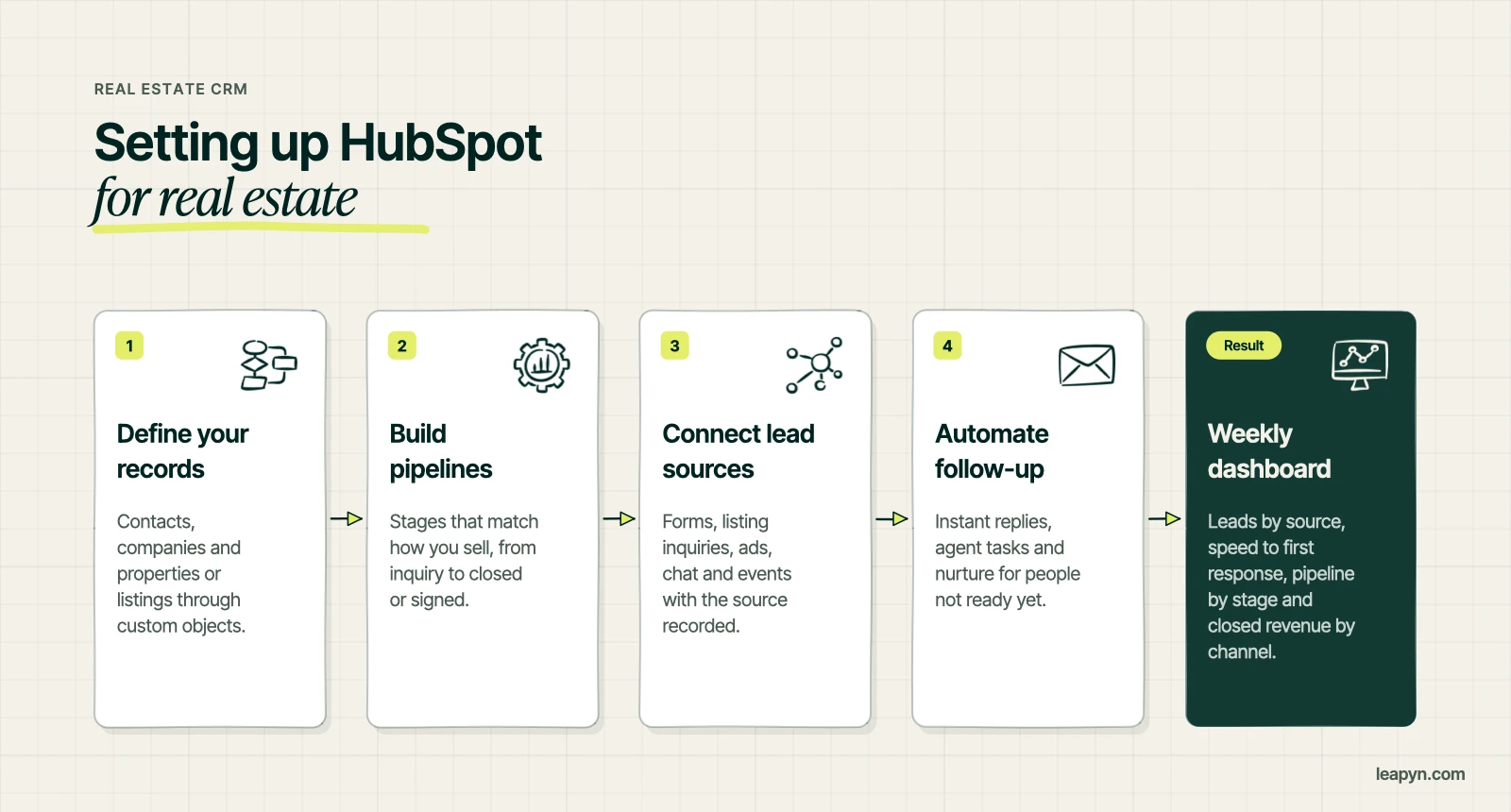
Define your records. Decide what HubSpot needs to track beyond contacts and companies. Many real estate teams add properties or listings, which HubSpot supports through custom objects on its Enterprise plans, or through deal properties on lower tiers.
Build pipelines that match how you sell. A residential brokerage might track inquiry, showing, offer, under contract and closed. A commercial team might track prospect, tour, proposal, lease negotiation and signed. A developer might run separate pipelines for buyers, brokers and investors.
Connect every lead source. Route website forms, listing inquiries, ads, chat and events into HubSpot with the source recorded, so you know which channels earn deals.
Automate the follow-up. Set up instant replies, task reminders for agents and nurture emails for people who are not ready yet. Speed matters in real estate, and automation keeps it consistent.
HubSpot for commercial real estate
Commercial deals involve many contacts per company, long timelines and a lot of relationship history. HubSpot handles that well with company records, associated contacts, deal stages and activity timelines. Build lists of target owners and tenants, track every tour and proposal, and use reporting to see which brokers, markets and property types produce the most revenue.
HubSpot for property management and developers
Property management companies can run owner acquisition in HubSpot with a rental analysis form, nurture emails and a sales pipeline for new doors. Developers can track buyer and broker interest across projects, send launch campaigns and report on reservations by channel. We cover the marketing side in property management marketing.
Reporting that real estate teams use
A real estate CRM earns its keep when leaders trust the reports. Build a small set of dashboards rather than dozens. Most teams need five.
Leads by source and cost per lead
Speed to first response
Conversion from inquiry to showing or tour
Pipeline value by stage and by agent or broker
Closed revenue by channel
Review them weekly in the same meeting so the numbers shape decisions about where to spend. When agents see that clean data gets them more leads, they keep the CRM up to date without being chased.
The first month in HubSpot for a real estate team
Take that brokerage again. In week one, the team agrees on what counts as a deal, which stages it moves through and which fields every broker fills in, such as property type, square footage and lease expiration. In week two, contacts come in from the spreadsheet and the brokers' phones, cleaned and tagged by market and relationship. Week three connects the website forms and listing inquiries so new leads land in HubSpot with their source recorded. Week four sets up reminders for lease expirations and a simple weekly dashboard the managing broker reviews in the Monday meeting.
At the end of the month the firm has one place to see every deal and every relationship, and the managing broker stops chasing updates by text. The setup is plain on purpose. Real estate teams adopt a CRM when it saves them time in the first few weeks, and they abandon it when it asks for data entry with no visible payoff.
Why some teams leave HubSpot
The common reasons are cost as contacts and seats grow, paying for features the team never set up and a system that was installed quickly and never shaped around how the business sells. Most of those problems come from setup rather than the software. An audit often finds automations that were never switched on and pipelines nobody trusts.
Getting help
If you are choosing a CRM, compare two or three options against your pipeline, your lead sources and who will use it every day. If you choose HubSpot, our HubSpot implementation service sets it up around how you sell, and our HubSpot audit fixes an existing portal. Real estate software companies selling to these teams can see how we help on our PropTech marketing agency page.
“
The first call felt like talking to someone who already understood our business. We didn’t have to explain the basics. They showed up with questions that mattered.
James L.
Director of Growth, HR tech
Client
FAQ
Frequently asked questions
Is HubSpot a good CRM for real estate?
+
HubSpot is a strong choice for real estate teams that run marketing and sales together, such as brokerages, commercial firms, developers and property managers. Solo agents relying on portal leads may prefer an agent-only CRM.
What is the best CRM for real estate agents?
+
It depends on how you work. Agents focused on portal and MLS leads often choose agent-only CRMs such as Follow Up Boss, Lofty or BoldTrail, while teams that also run marketing often choose HubSpot.
Can HubSpot track properties and listings?
+
Yes. Teams can track properties or listings with custom objects on HubSpot Enterprise plans, or with deal properties on lower tiers.
Is HubSpot good for commercial real estate?
+
Yes. Company records, associated contacts, deal pipelines and activity timelines suit the long, relationship-heavy cycles of commercial leasing and sales.
Why do people leave HubSpot?
+
The usual reasons are growing costs, paying for features that were never set up and a portal that was never shaped around how the team sells. An audit often fixes the last two.
Written by
The Leapyn team
Senior marketing team
Senior marketers who run strategy, creative and demand gen for B2B companies. We write about what’s working for our clients right now.